Project Strong Arm Logo

Project Overview

Project Size: 6 Student Team

Project Duration: 12 Weeks

Project Strong Arm is a first-person action game developed by a multidisciplinary team of six students during the Fanshawe College Game Development Capstone. Players take control of a creature attempting to escape an evil Wizard's Tower by navigating environmental challenges, solving puzzles, battling enemies, and ultimately confronting the Wizard in the Astronomy Tower.

The game's primary mechanic revolves around the player's ability to perform both a light punch and a charged punch, allowing players to destroy objects, activate gameplay systems, and traverse the environment.

Throughout development, I collaborated closely with another programmer on the game's core gameplay systems. While my teammate focused primarily on the player controller, I was responsible for developing the Wizard and its supporting gameplay systems.

My primary contributions included the Wizard Boss Encounter, Astronomy Tower, the Telescope Puzzle, the Flying Book Enemy, character creation, animation, shaders, environment art, and gameplay programming.

Gameplay Walkthrough

01 — Wizard Character System

Overview

The Wizard was one of the central systems in Project Strong Arm and was planned from the first week of development. From the beginning, the player was intended to ascend the tower, overcome enemies and environmental puzzles, confront the Wizard in the final encounter, and escape the tower.

Because the Wizard represented the player's final challenge, it became one of the most interconnected systems in the project. I was responsible for nearly the entire Wizard pipeline, including character creation, texturing, rigging, animation, gameplay programming, combat systems, state management, encounter progression, and audio/visual effect integration.

While another team member occasionally assisted with troubleshooting particularly difficult issues, the overall design and implementation of the Wizard and its systems were my responsibility.
Design Goal

The goal was to create a final encounter that encouraged players to actively engage with multiple gameplay systems rather than simply fight a stationary enemy. The Wizard needed to support combat, multiple attack phases, environmental interactions, and clear player feedback while providing a satisfying conclusion to the game.

The character needed to support:

Combat Systems Health / Healing State Behavior Attack Phases Animation Feedback Audio / VFX Encounter Progression

Character Creation

The Wizard was one of the largest asset pipelines I completed for Project Strong Arm. I was responsible for creating the character from sculpting through to the final textured game-ready asset, ensuring it could support animation, gameplay programming, and the final boss encounter.

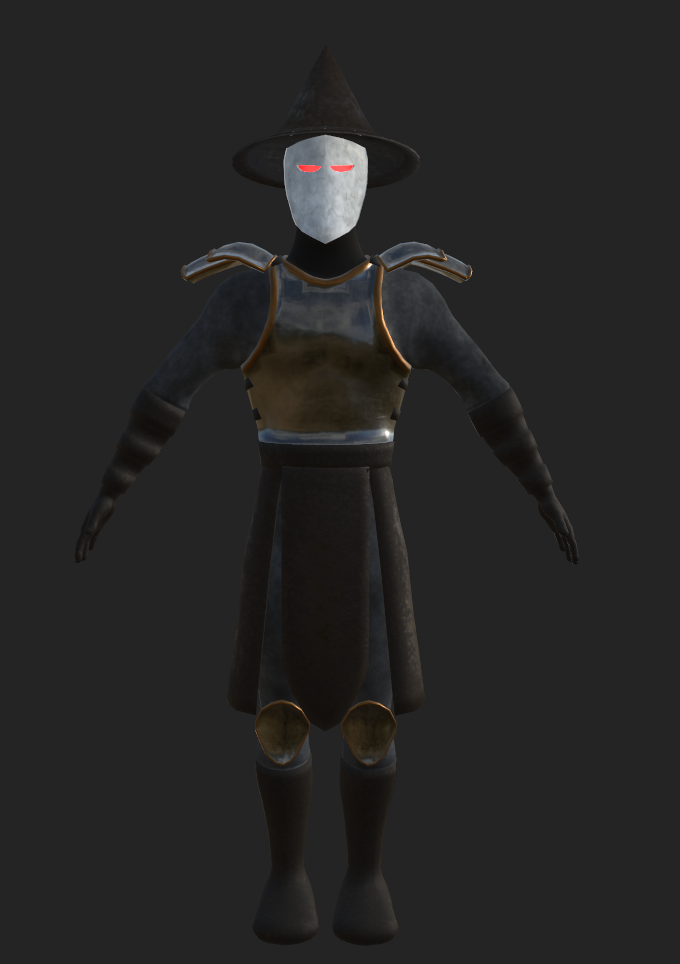
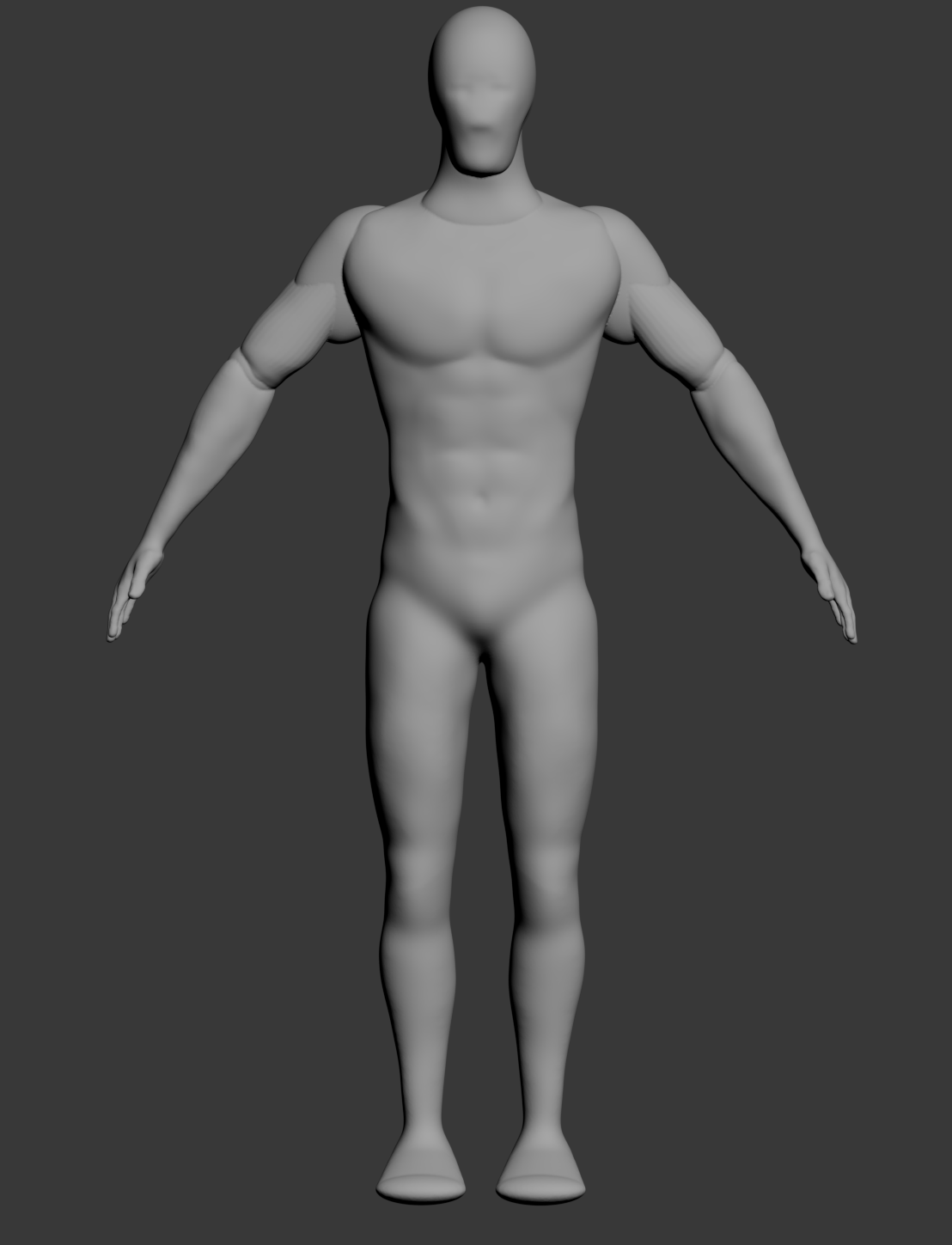
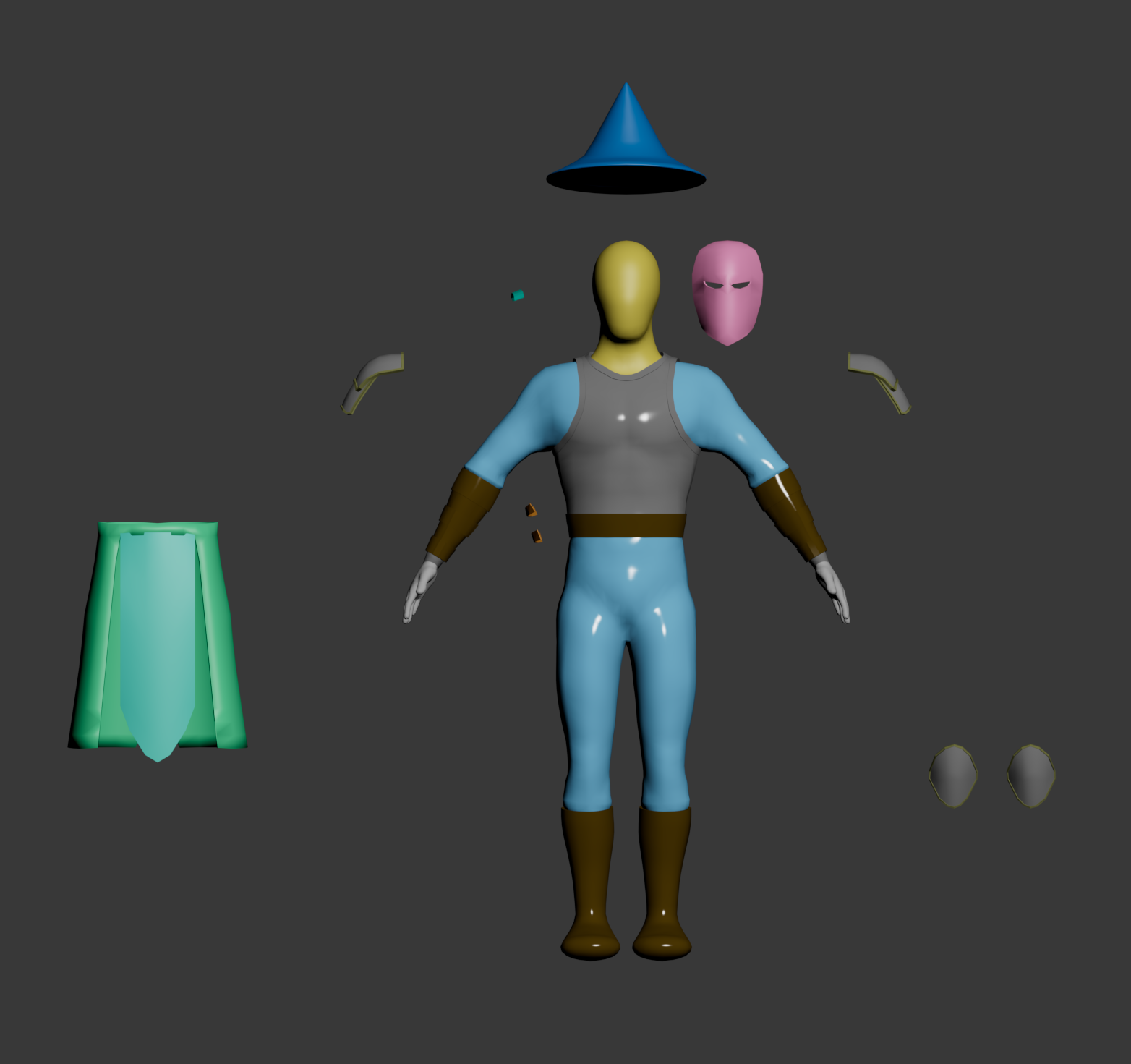
Development began in ZBrush where I sculpted the base character, establishing the primary forms and proportions before moving into 3ds Max to create the modular clothing, armor, mask, belt, accessories, and game-ready mesh. The character was designed using separate modular components so each piece could be edited, textured, and animated independently while maintaining a cohesive silhouette.

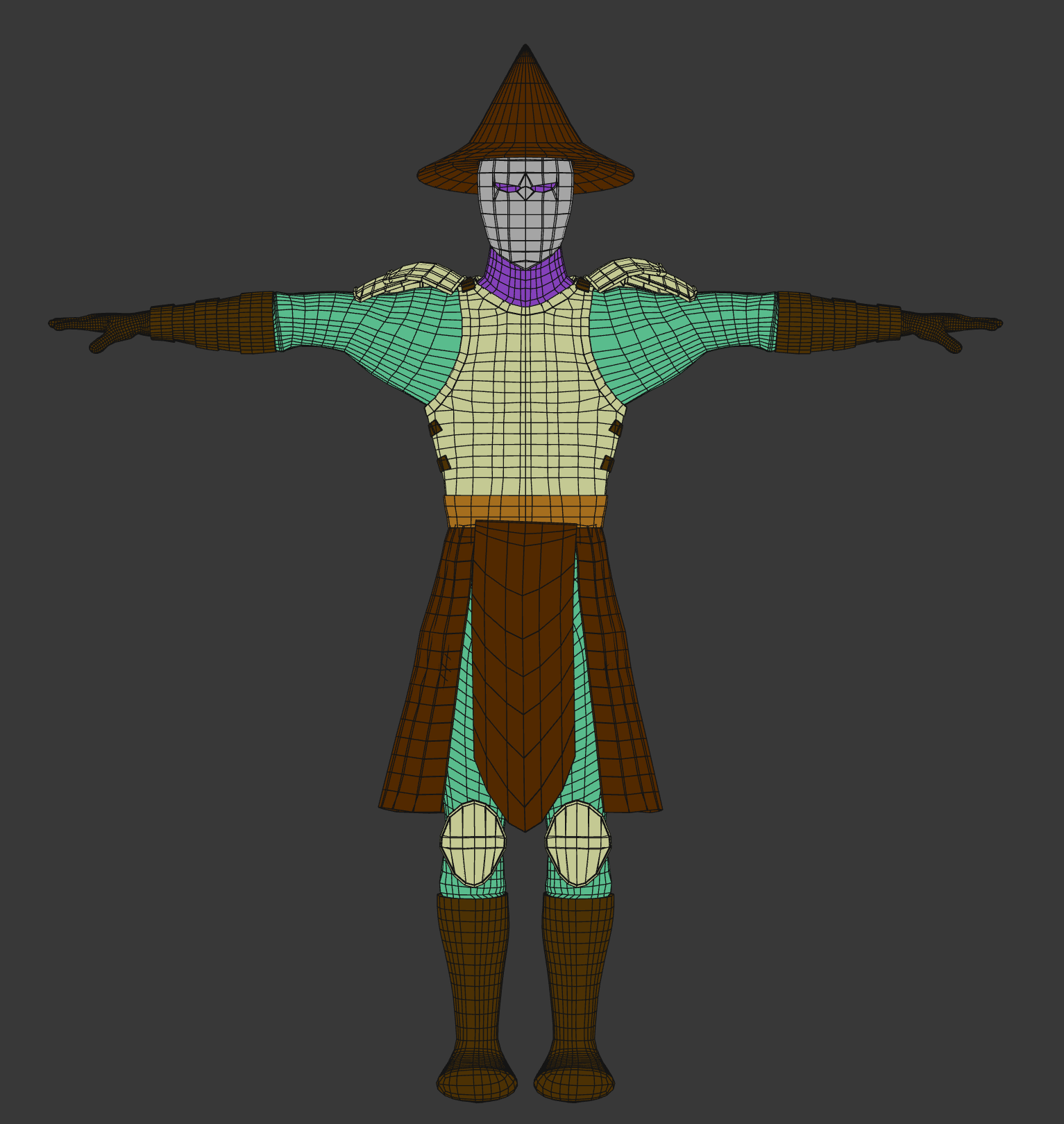
Once modeling was complete, I optimized the mesh for real-time use, ensuring clean topology around major joints to support deformation during gameplay. The finished character was then textured to establish the Wizard's final visual identity, combining cloth, leather, metal, and emissive materials that matched the project's stylized art direction.
Wizard Base Sculpt
Base Sculpt
Initial high-poly sculpt created in ZBrush to establish the character's overall proportions and anatomy.
Wizard Modular Components
Modular Construction
Clothing, armor, accessories, and costume pieces were modeled separately to support a modular workflow.
Wizard Game Mesh
Game Mesh & Topology
Final optimized game mesh prepared for rigging, animation, and Unity integration.
Final Textured Wizard
Final Textured Character
Completed materials establishing the Wizard's final appearance for the game.

Rigging & Animation

After the character was completed, I rigged the Wizard in 3ds Max using a humanoid skeleton with additional bones for the cape and lower robes to support secondary motion during gameplay.

I created the complete animation set used throughout the boss encounter, including idle, walking, attack, healing, and spawn animations. Each animation was designed to communicate the Wizard's current gameplay state while providing clear visual feedback to the player.

Once imported into Unity, the animations were connected through an Animator Controller. Animation states were driven by gameplay scripts, allowing seamless transitions between movement, attacks, healing and combat phases while synchronizing animation events with gameplay logic.
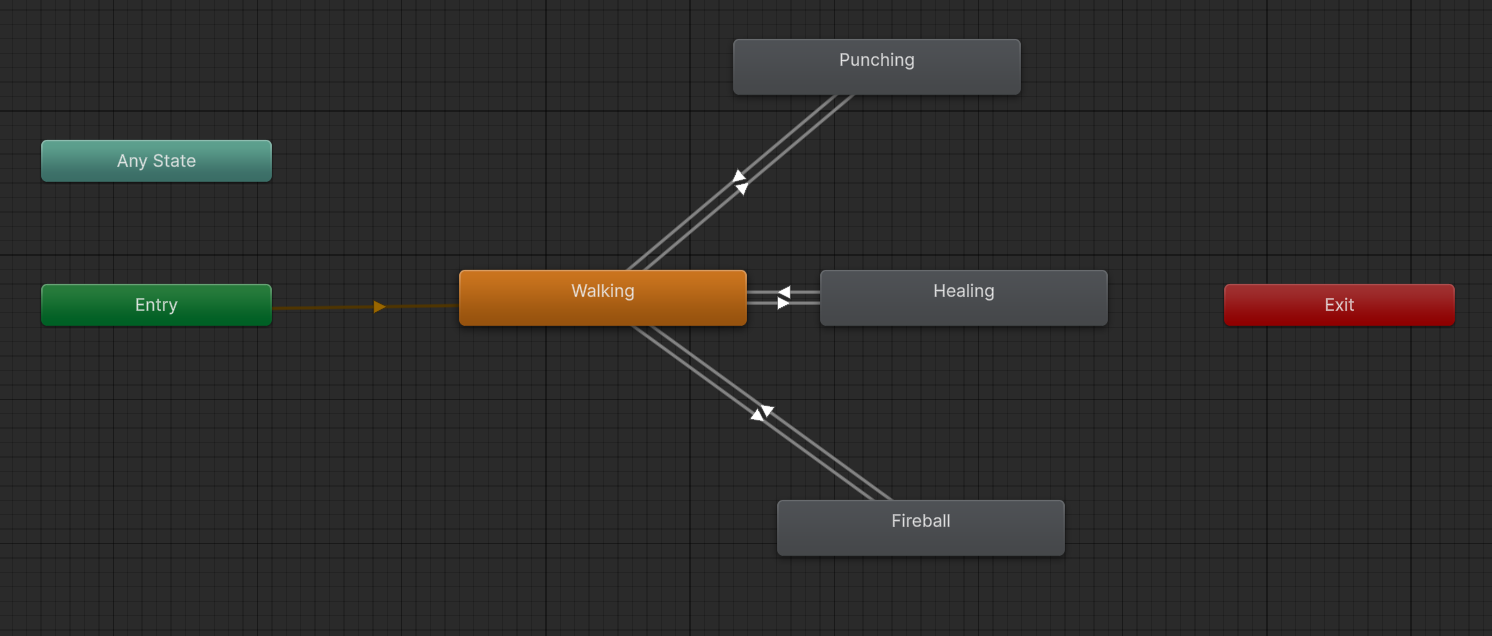
Idle Walking Attack Healing Spawn
Animator Controller
Unity Animator Controller driving the Wizard's animation state machine.

Gameplay Systems

Phase One

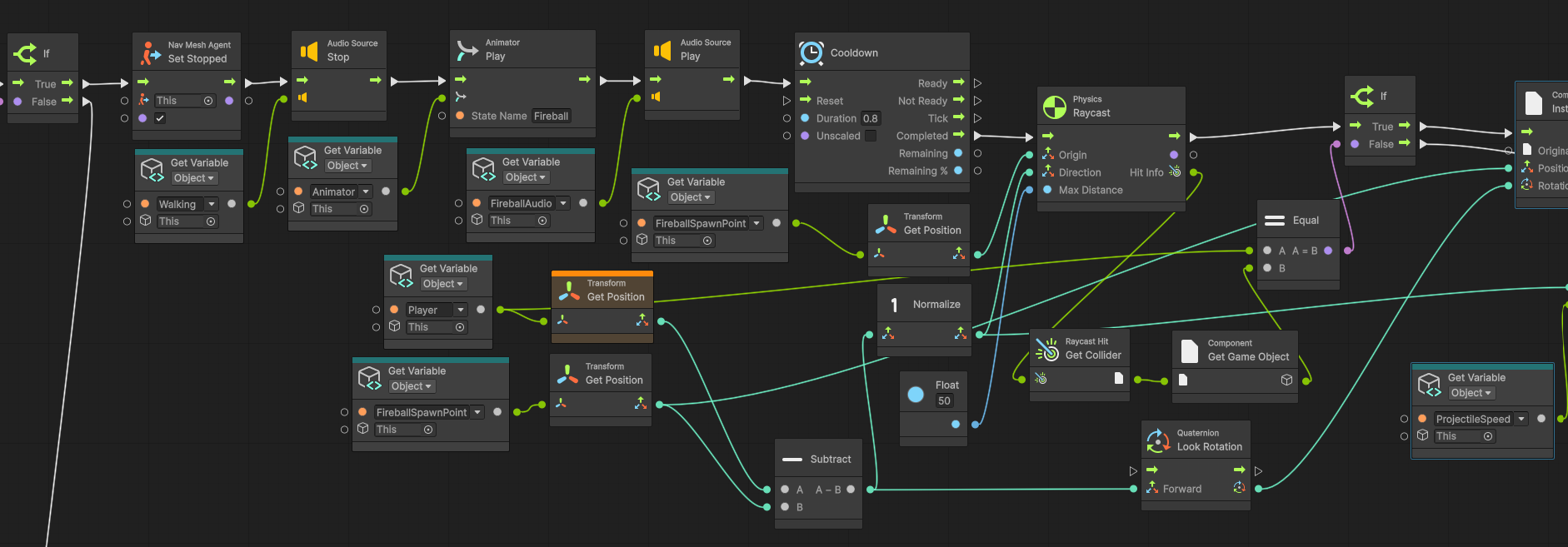
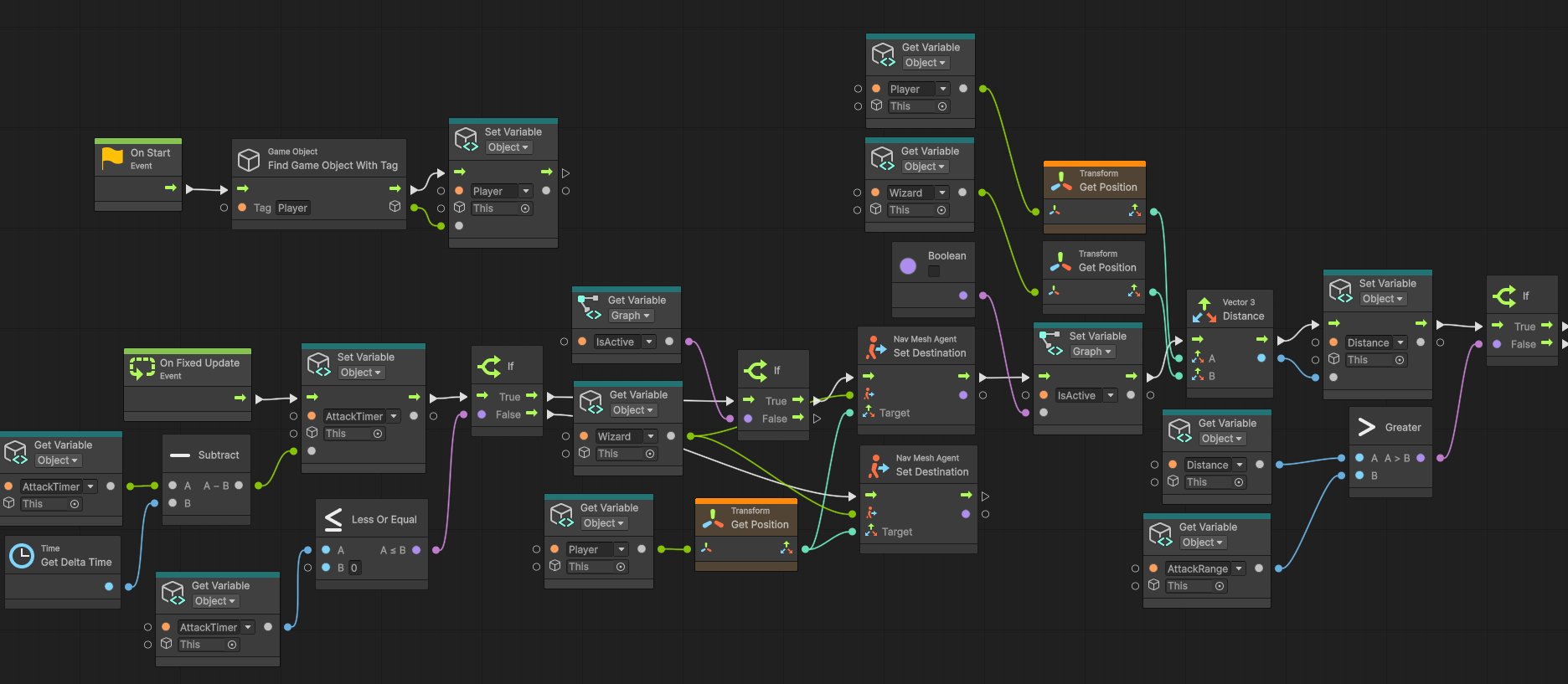
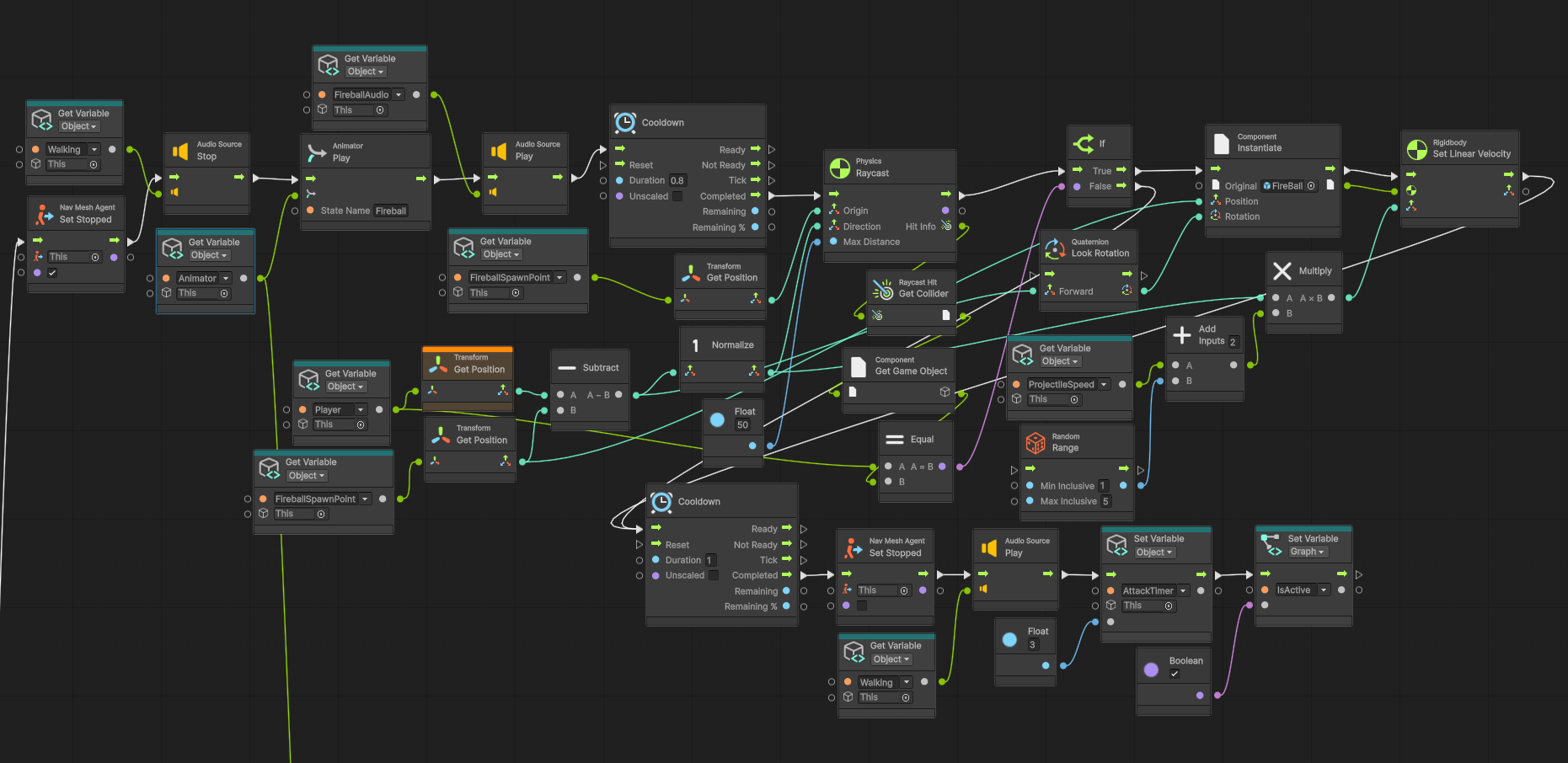
The Wizard enters Phase One as soon as he appears in the game. During this phase, he moves toward the player and checks the distance between himself and the player at set time intervals.

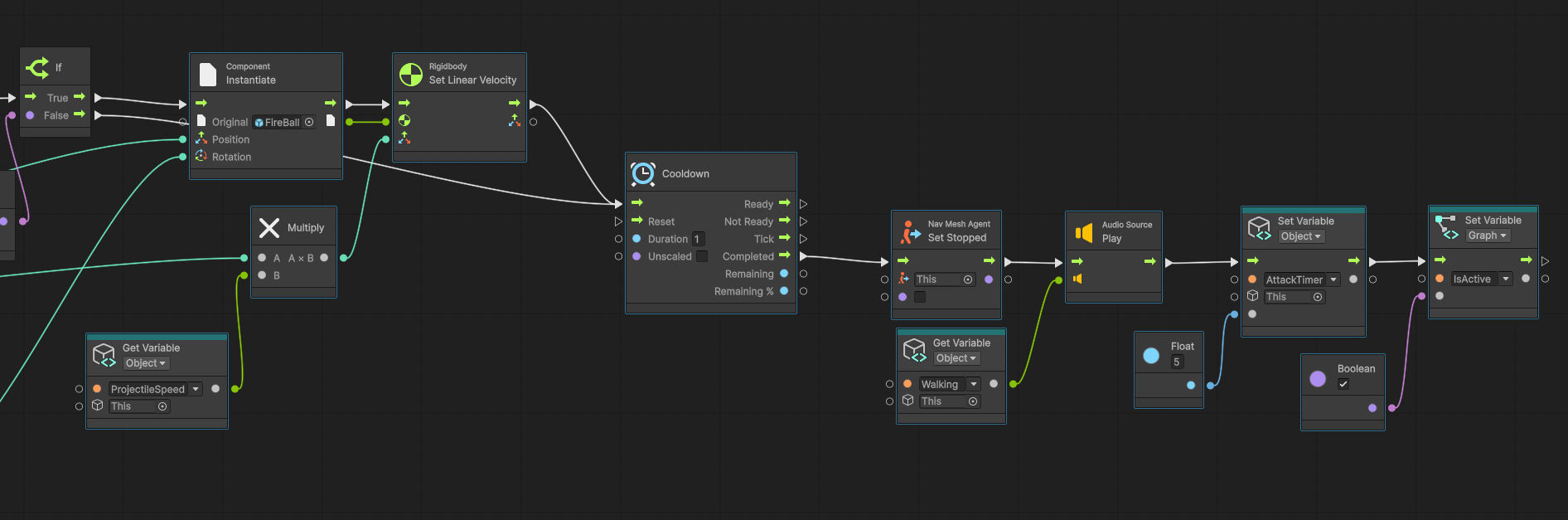
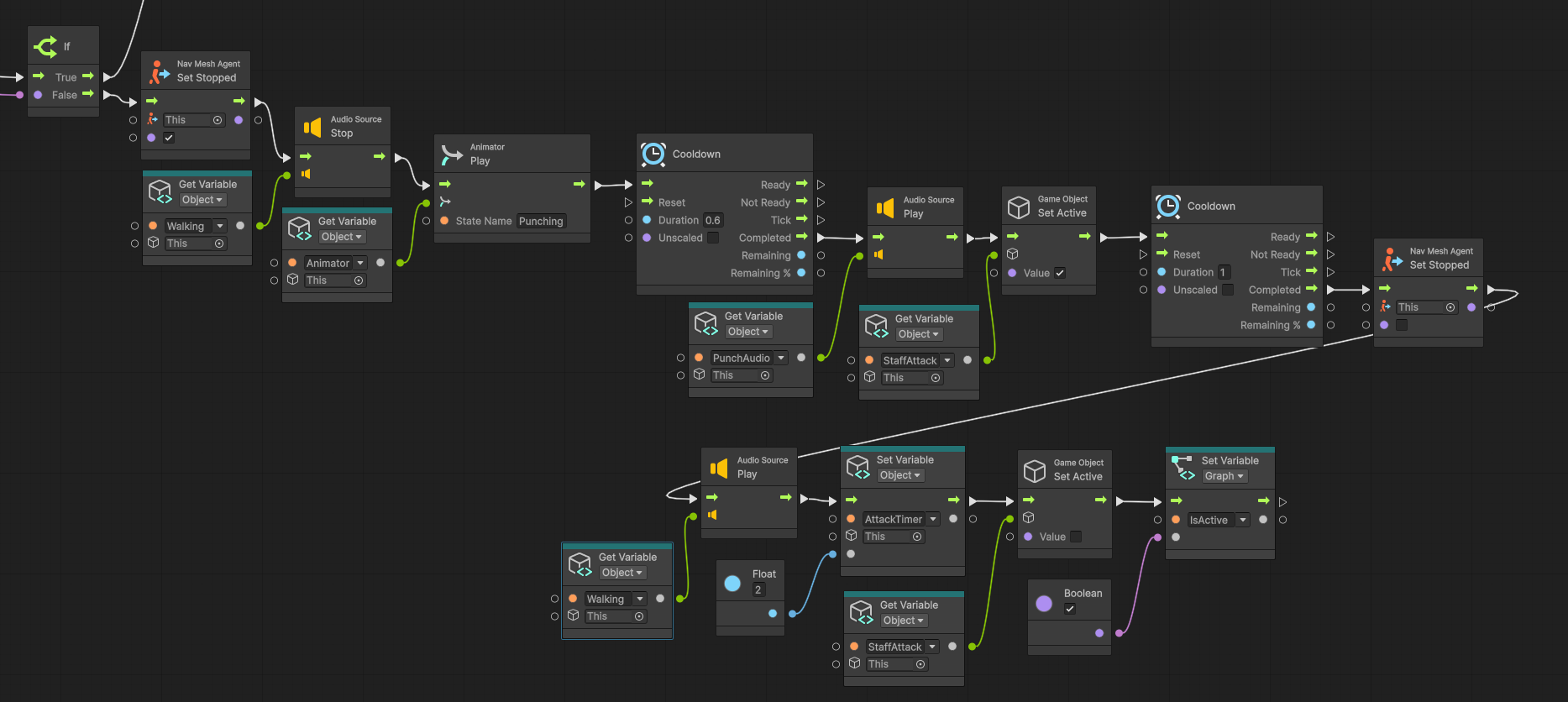
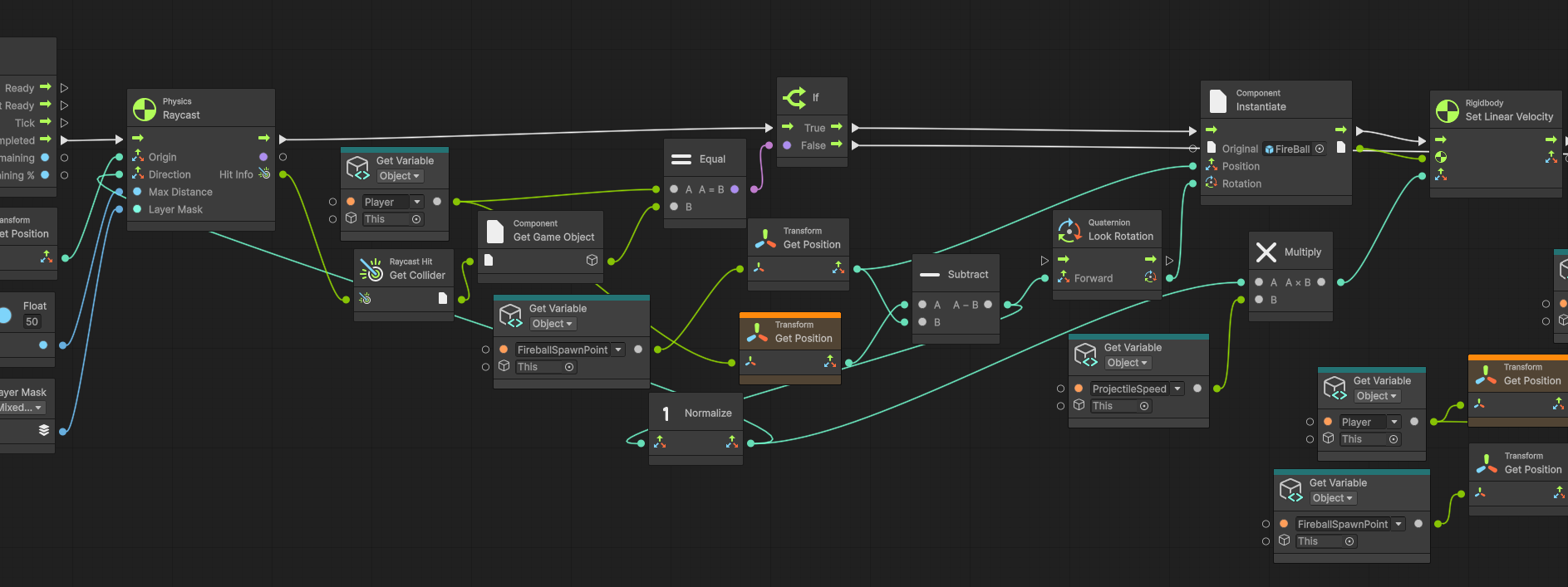
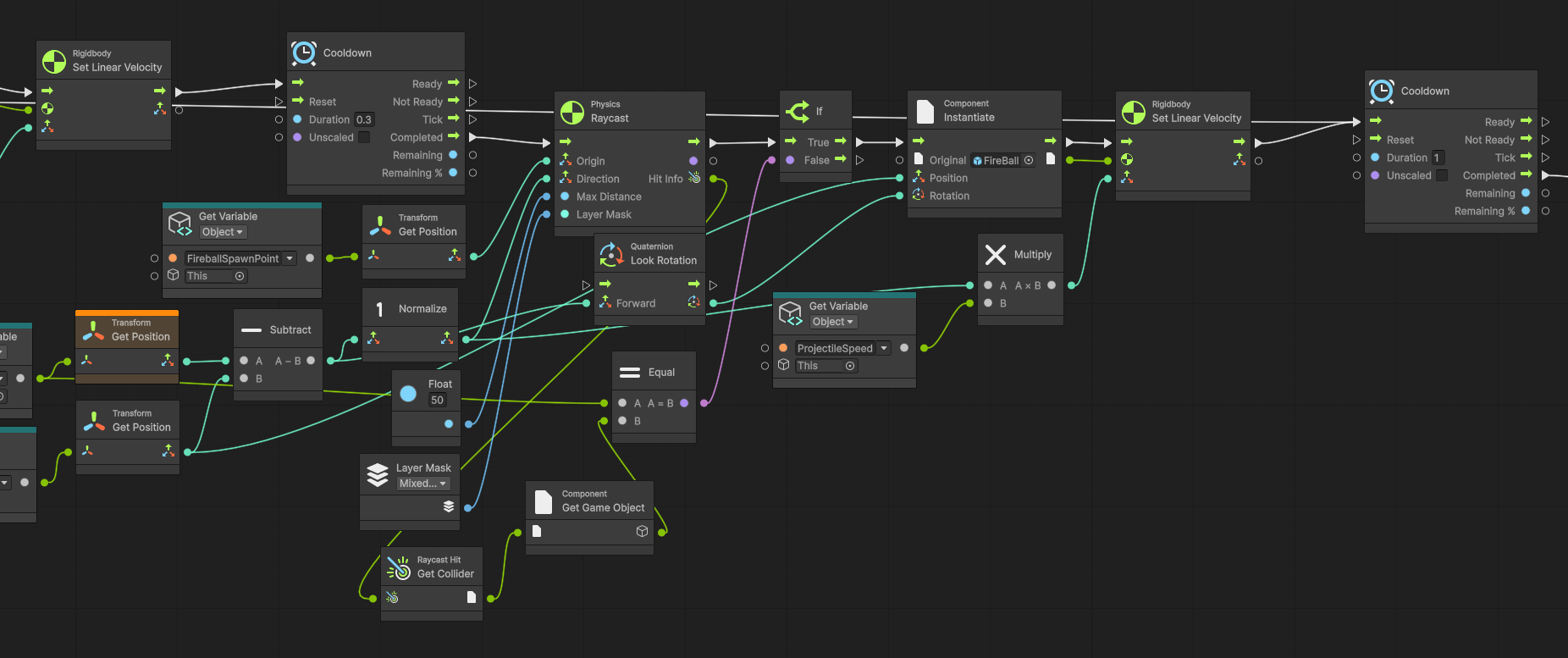
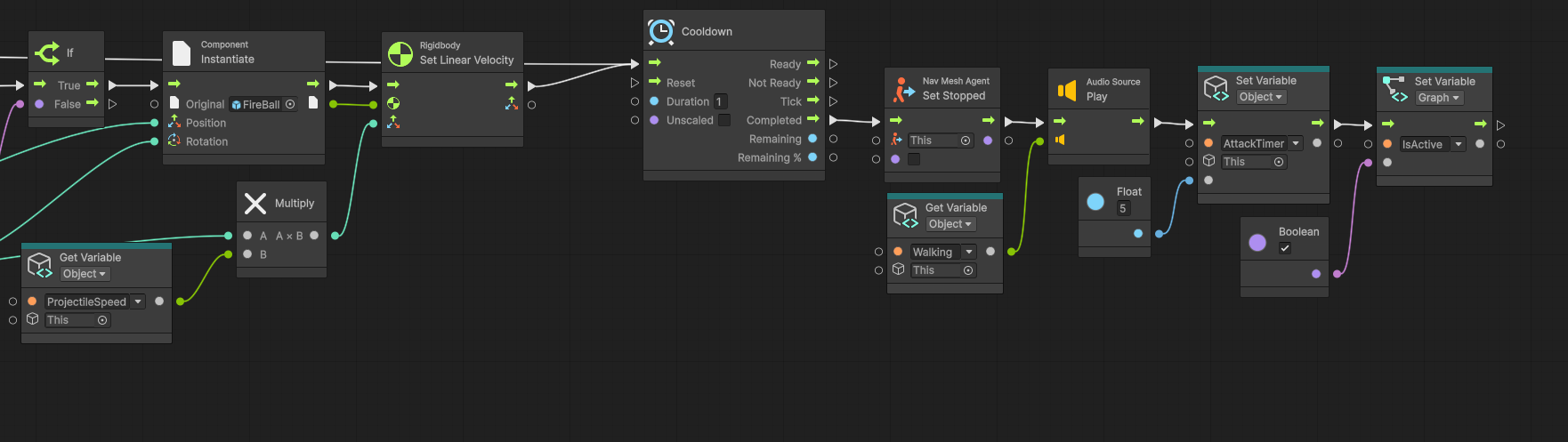
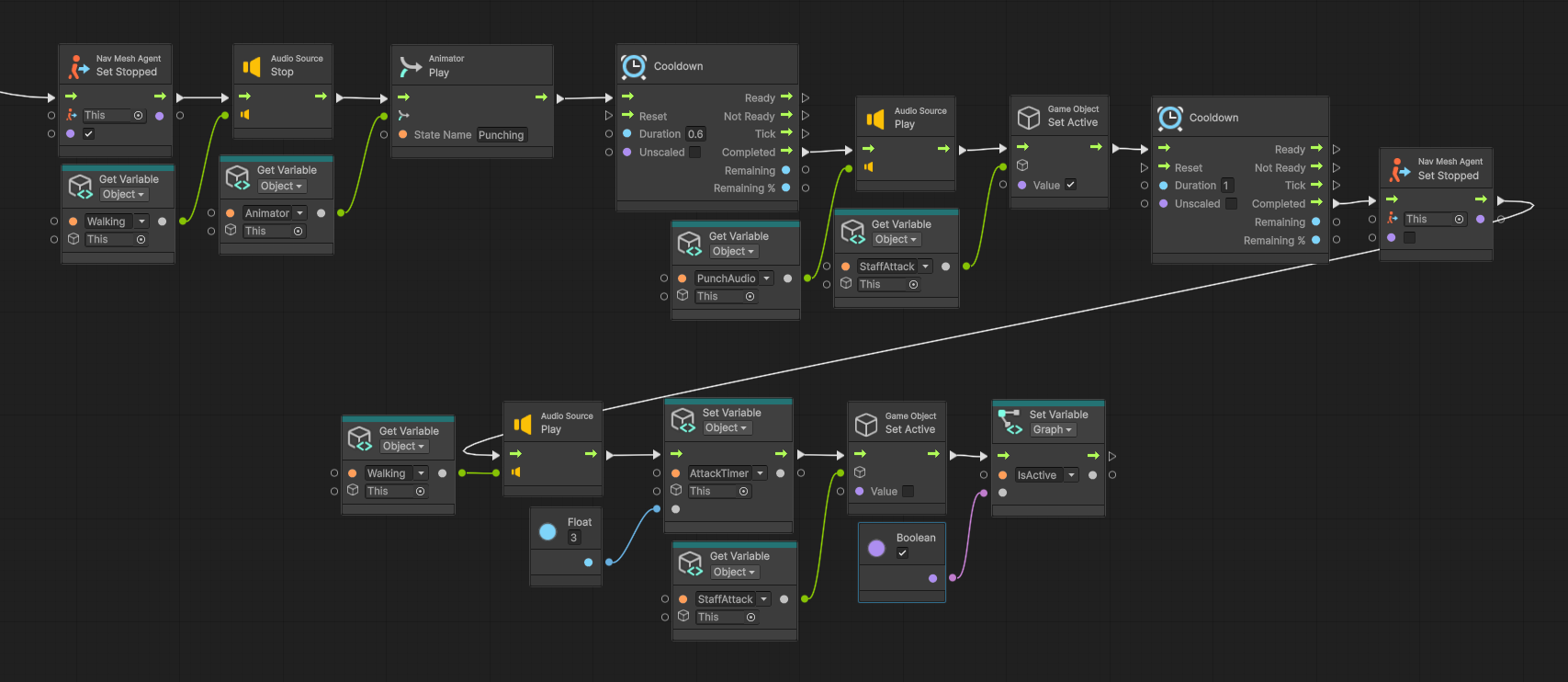
Based on that distance, the Wizard chooses between two attacks. If the player is close enough, he performs a melee punch. If the player is farther away, he launches a fireball toward the player. These attacks only occur when the player is within the Wizard's line of sight.
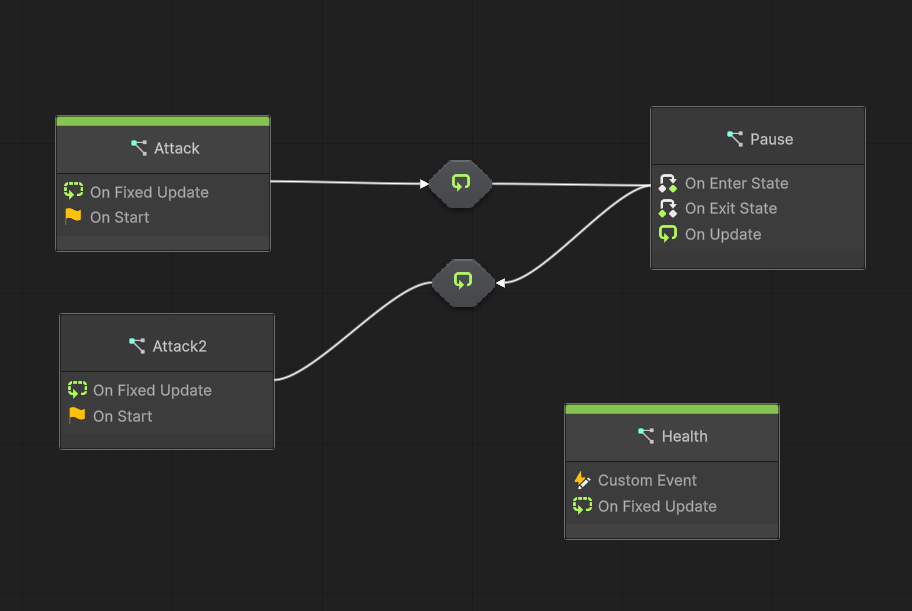
Transition 1

When the Wizard's health is reduced to the required threshold, Transition 1 is triggered. This moves the Wizard out of the first attack phase and into the healing pause state.
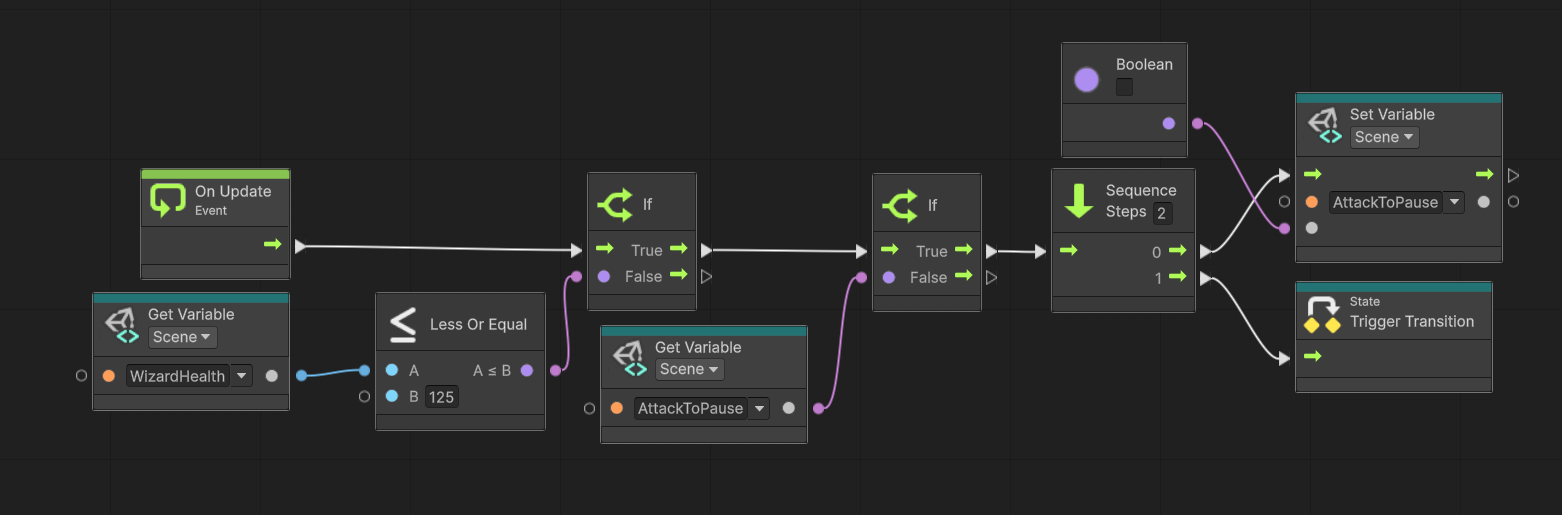
Pause State

The Pause State begins with the Wizard moving toward the center of the Summoning Circle. Once he reaches the correct position, a protective shield is generated around him and the Wizard begins healing.

While this state is active, the player can no longer continue damaging the Wizard directly and must interact with the environment to progress the encounter.
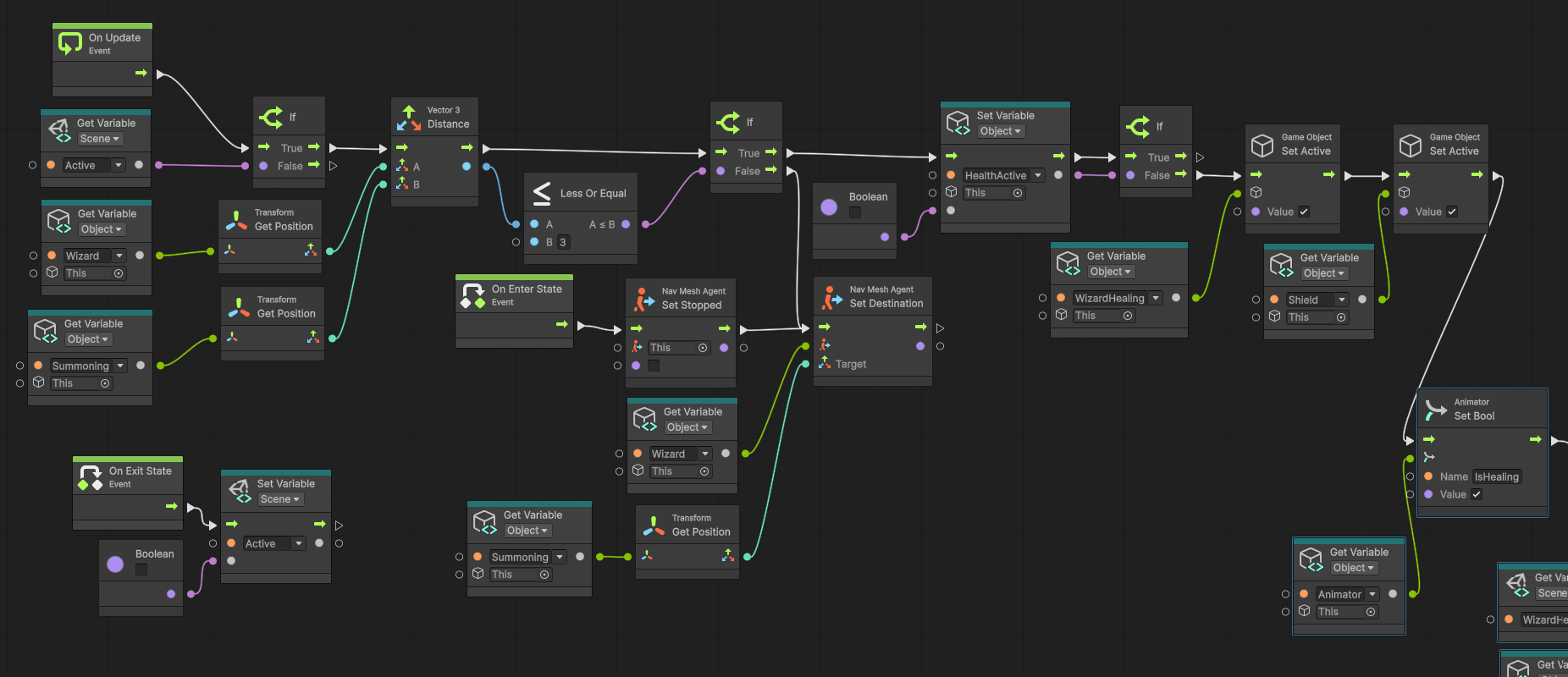
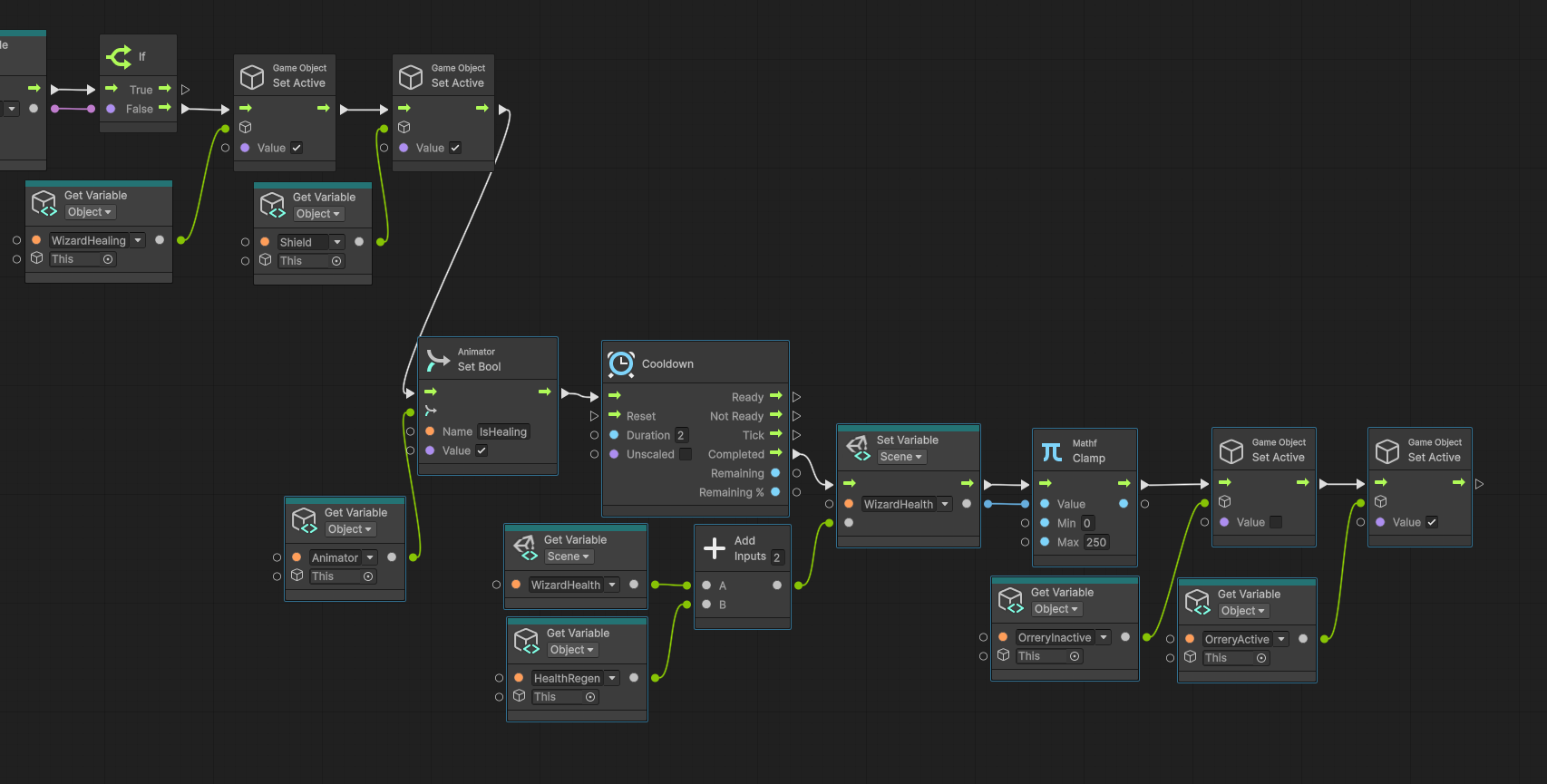
Transition 2

To return the Wizard to a vulnerable combat state, the player must destroy the Orrery positioned above him. The system continuously checks whether the Orrery has been broken.

Once that condition becomes true, the healing state ends and the Wizard transitions into the second attack phase.
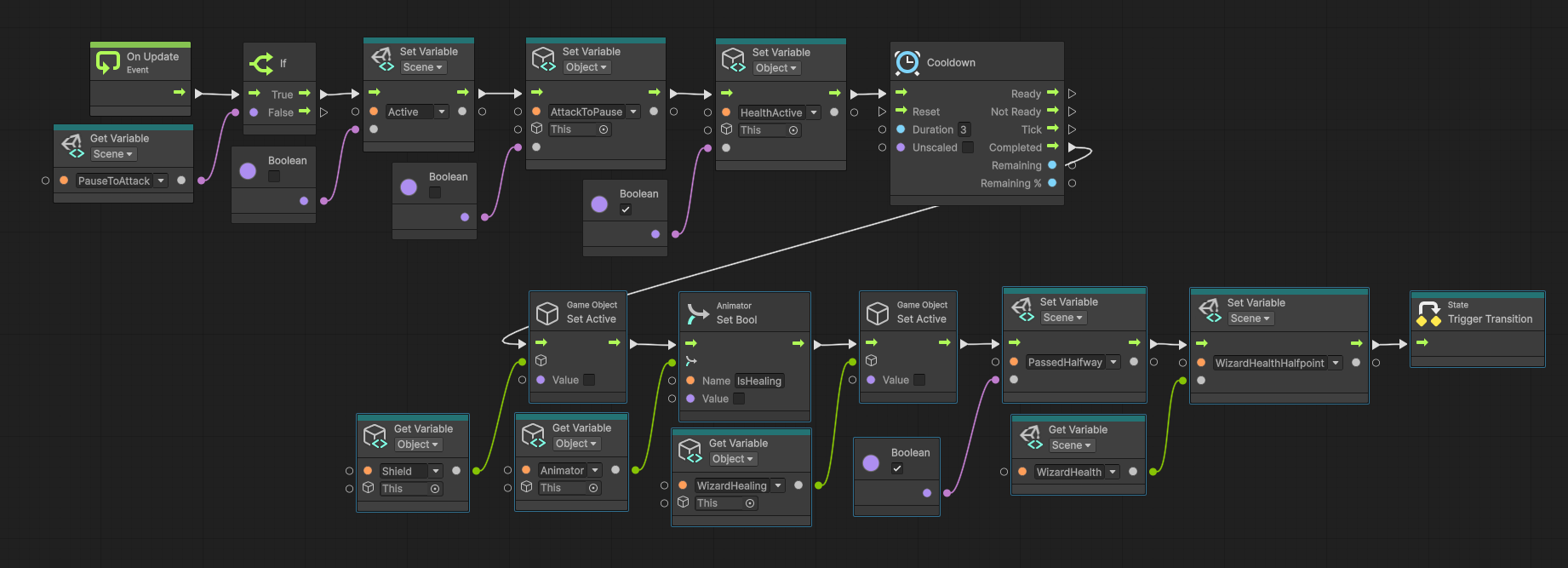
Phase Two

Phase Two follows the same basic structure as Phase One, but the attack timing is faster and the Wizard becomes more aggressive.

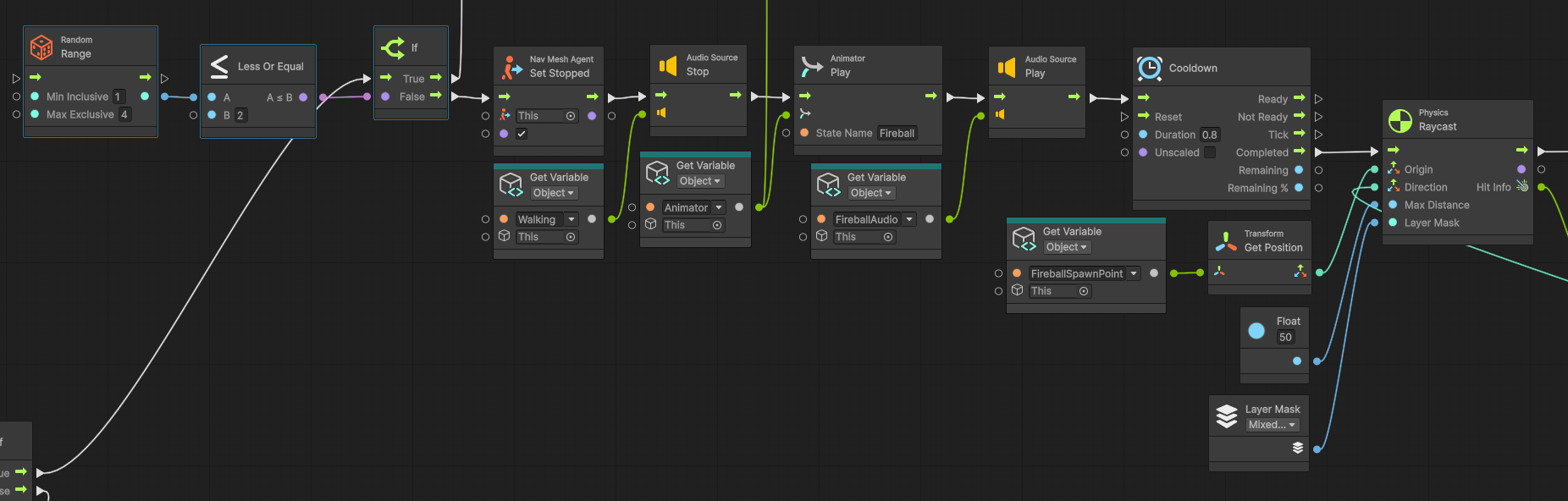
An additional fireball attack is introduced during this phase. Instead of always firing a single projectile, the Wizard can randomly launch either one or two fireballs toward the player.

Each time the attack logic runs, a random value is generated. That value determines whether the Wizard spawns one fireball or two, adding variation and making the final phase less predictable.
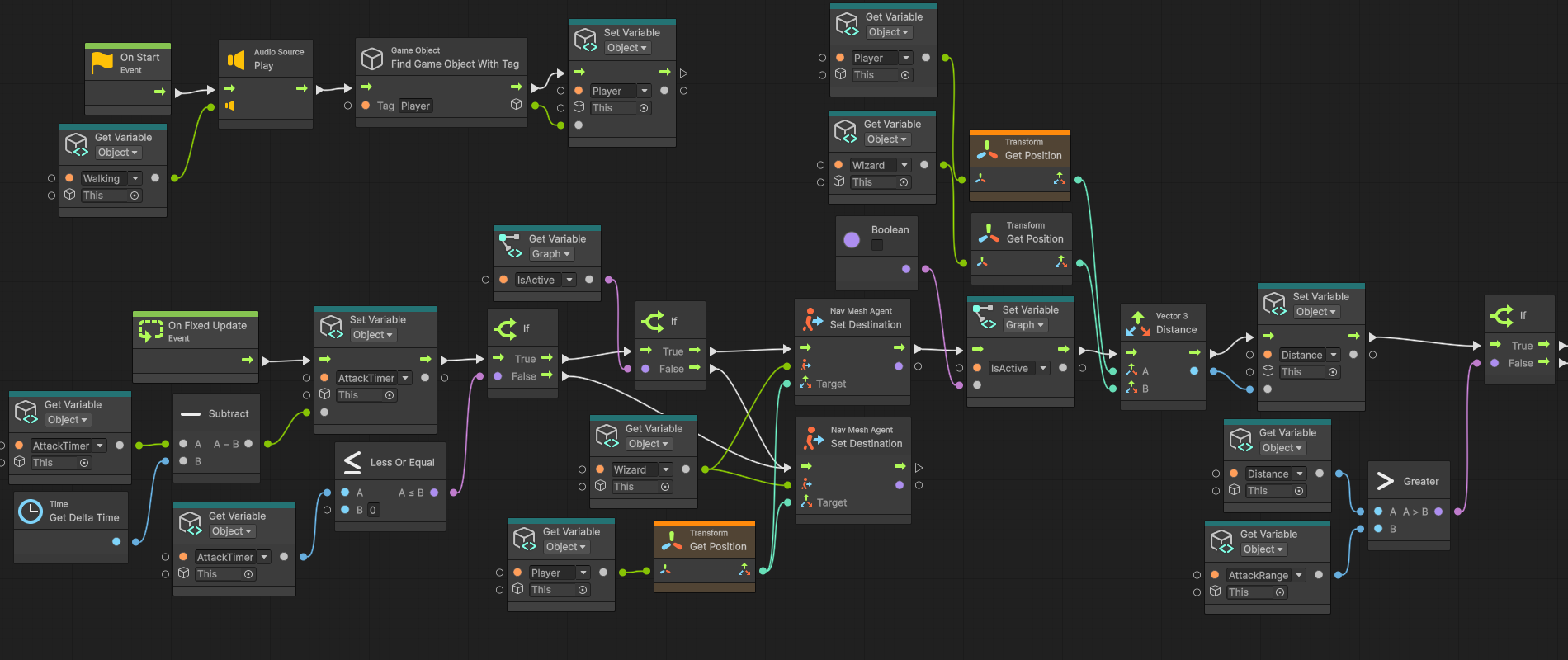
Health System

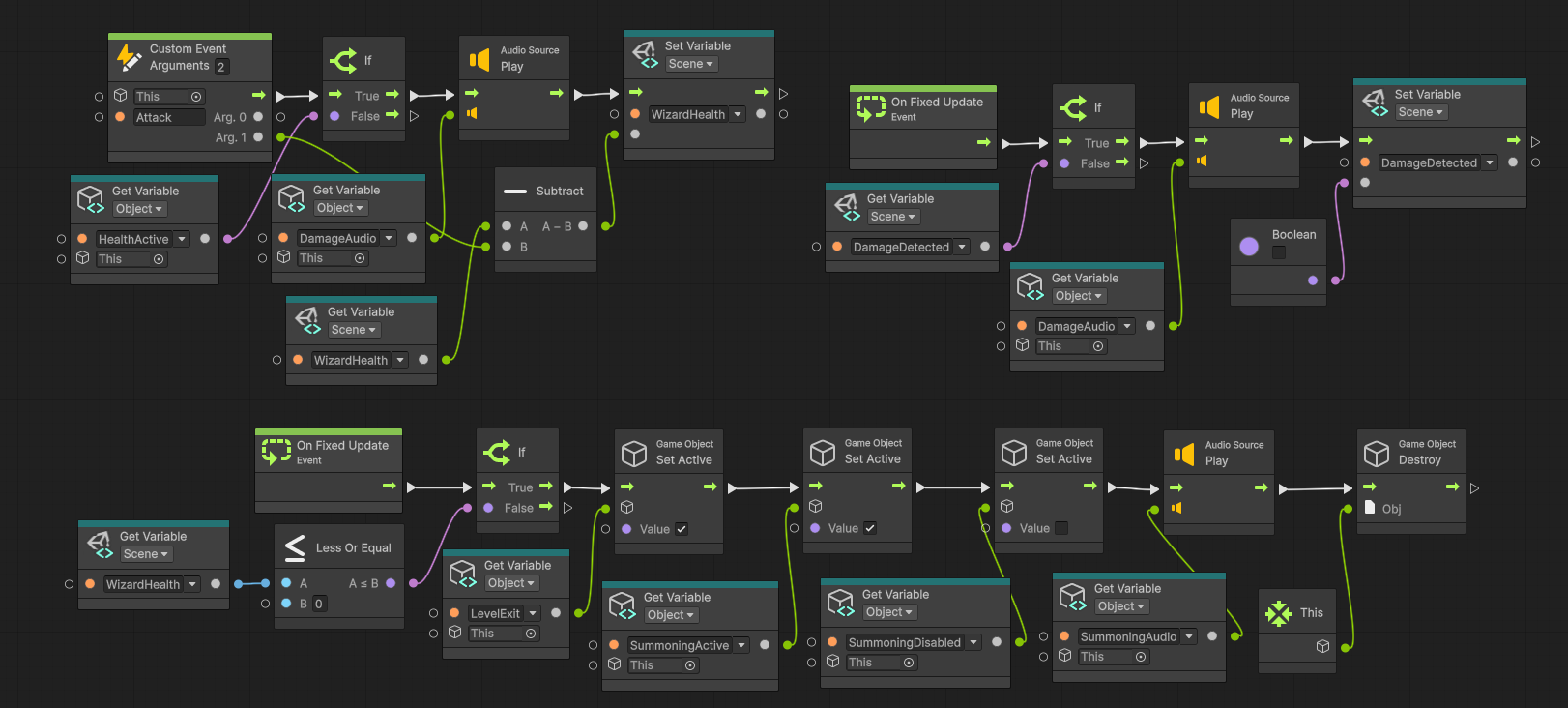
The Wizard uses a standard health system that receives damage from the player's attacks and reduces the Wizard's current health value.

The Flying Book enemy can also damage the Wizard, allowing another gameplay system to directly affect the boss encounter.

When the Wizard's health reaches zero, the death state is triggered and the Summoning Circle is activated, completing the encounter and allowing progression to continue.
Audio and Visual Effects

Sound Effects

Fireball Healing Wizard Spawn Wizard Walking

Visual Effects

Fireball Effects Spell Effects Combat Feedback

These effects helped reinforce player actions and communicate combat states.

Challenges

One of the biggest challenges during development was tuning the Wizard's combat timing and damage values so the encounter felt fair, readable, and satisfying. The fireball attacks needed to feel threatening without becoming frustrating, while still giving players enough time to react and reflect projectiles back at the Wizard.

The combat scripts underwent heavy iteration throughout development. Certain systems had to be revisited and rewritten nearly fifteen times before reaching a final implementation that reliably supported attack timing, damage, phase transitions, and player feedback.

Another major challenge involved the Wizard's navigation. When players punched the Wizard, the NavMesh system could occasionally cause the enemy to become stuck against walls, breaking the flow of the encounter. Additional debugging and iteration were required to improve movement behavior, collision handling, and positioning to ensure the boss could recover naturally from player interactions.

These challenges required continuous testing and refinement and provided valuable experience balancing gameplay feel while solving technical issues.
02 — Flying Book Enemy System

Overview

The Flying Book system was designed to transform ordinary environmental props into interactive enemies. Initially appearing as harmless decorations, bookshelves concealed dormant Flying Books that could be awakened by the player. Once activated, the books emerged from their shelves and began navigating the environment.

I was responsible for the AI and gameplay systems behind the Flying Books, including navigation, activation systems, enemy behavior, and combat interactions. Another team member created the Flying Book model and animations, and we regularly consulted one another throughout development to ensure the gameplay and visual presentation worked together effectively.

Although originally developed for a specific level, the system proved flexible enough to be reused throughout multiple levels within the game.

Design Goal

The goal of the Flying Book system was to blur the line between environment and enemy while encouraging players to interact with the world around them.

Environmental Activation NavMesh AI Autonomous Movement Reusable Enemy System Interaction

Collaboration

The Flying Book system was developed collaboratively with another team member. I owned the gameplay systems, AI behavior, navigation, and implementation, while another team member created the model and animations.

Awakening System

Bookshelves acted as environmental containers for dormant Flying Books. Players awakened them by attacking the bookshelf.

  • Bookshelf remains intact.
  • Flying Book emerges.
  • Navigation begins.
  • Audio and VFX communicate activation.
Flying Book bookshelf awakening system

Navigation System

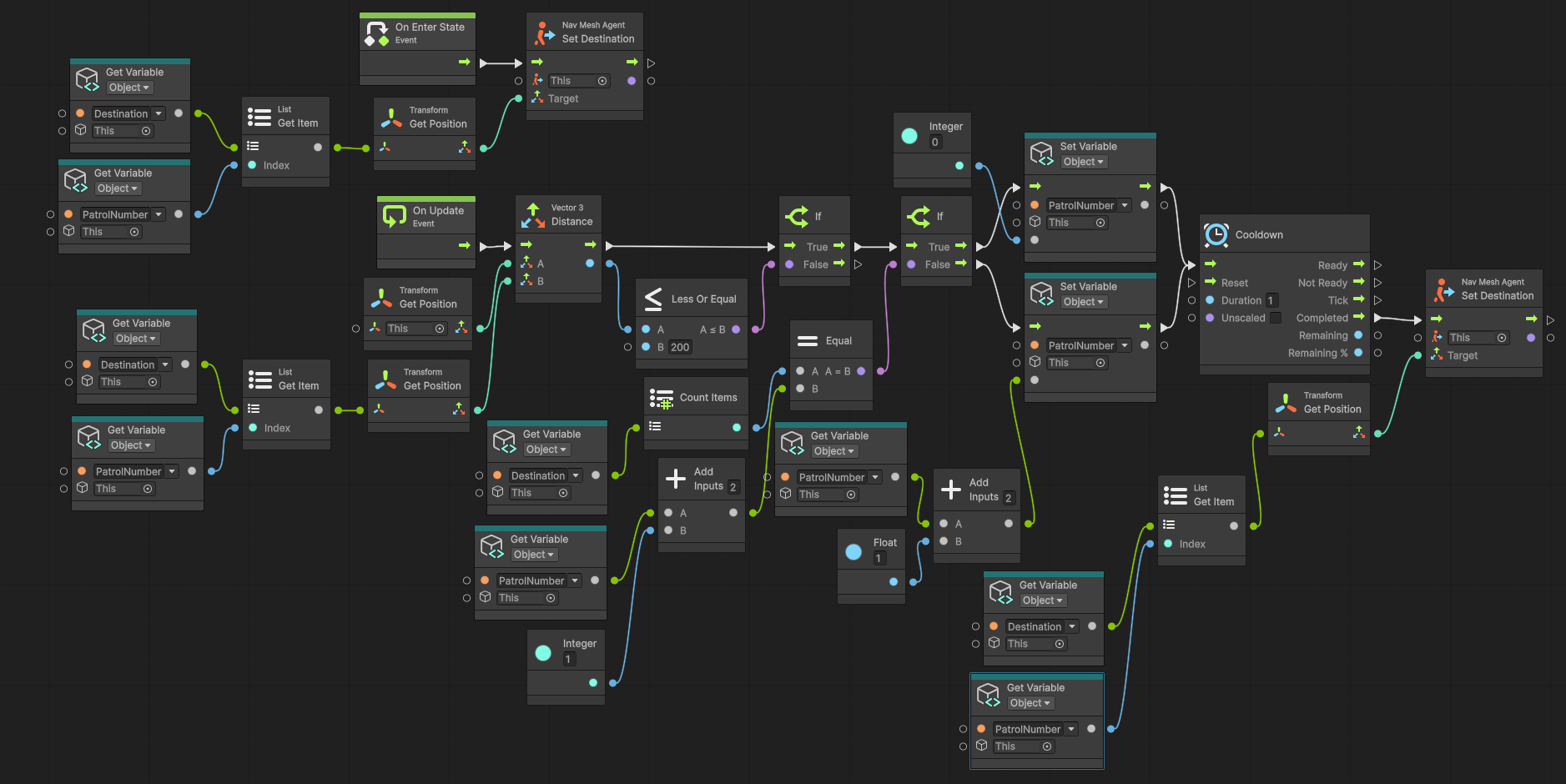
I implemented movement using Unity's NavMesh system, allowing Flying Books to patrol, navigate environments, avoid obstacles, and move independently with minimal setup.

Flying Book navigation system
Navigation and patrol behaviour implemented using Unity Visual Scripting.

Combat Interactions

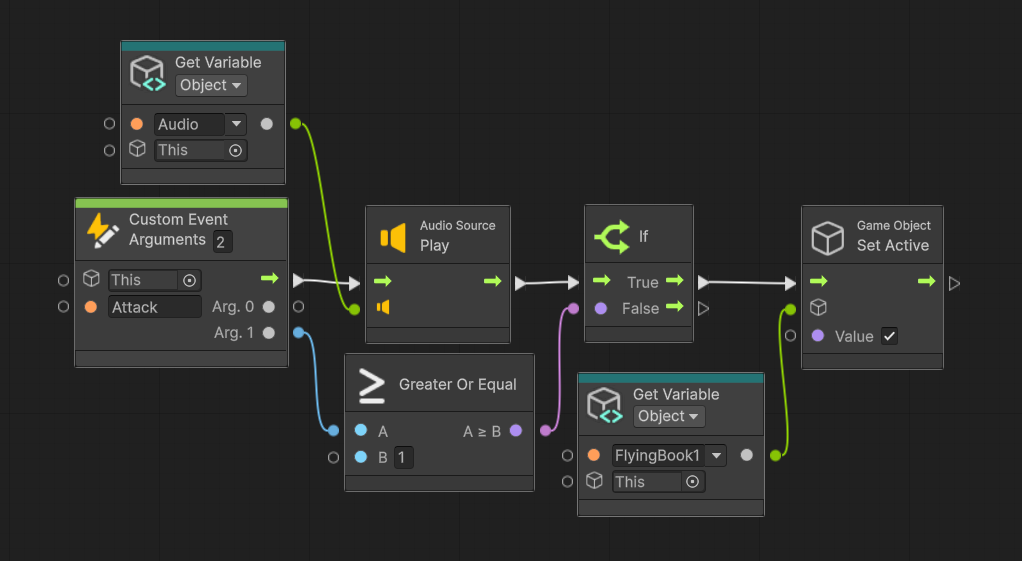
Flying Books caused no direct damage to the player. Instead they acted as environmental hazards that players could destroy, awaken, and strategically use during encounters.

One of the most interesting interactions occurred during the Wizard encounter where Flying Books could damage the Wizard, creating emergent gameplay by allowing enemy systems to interact with one another.

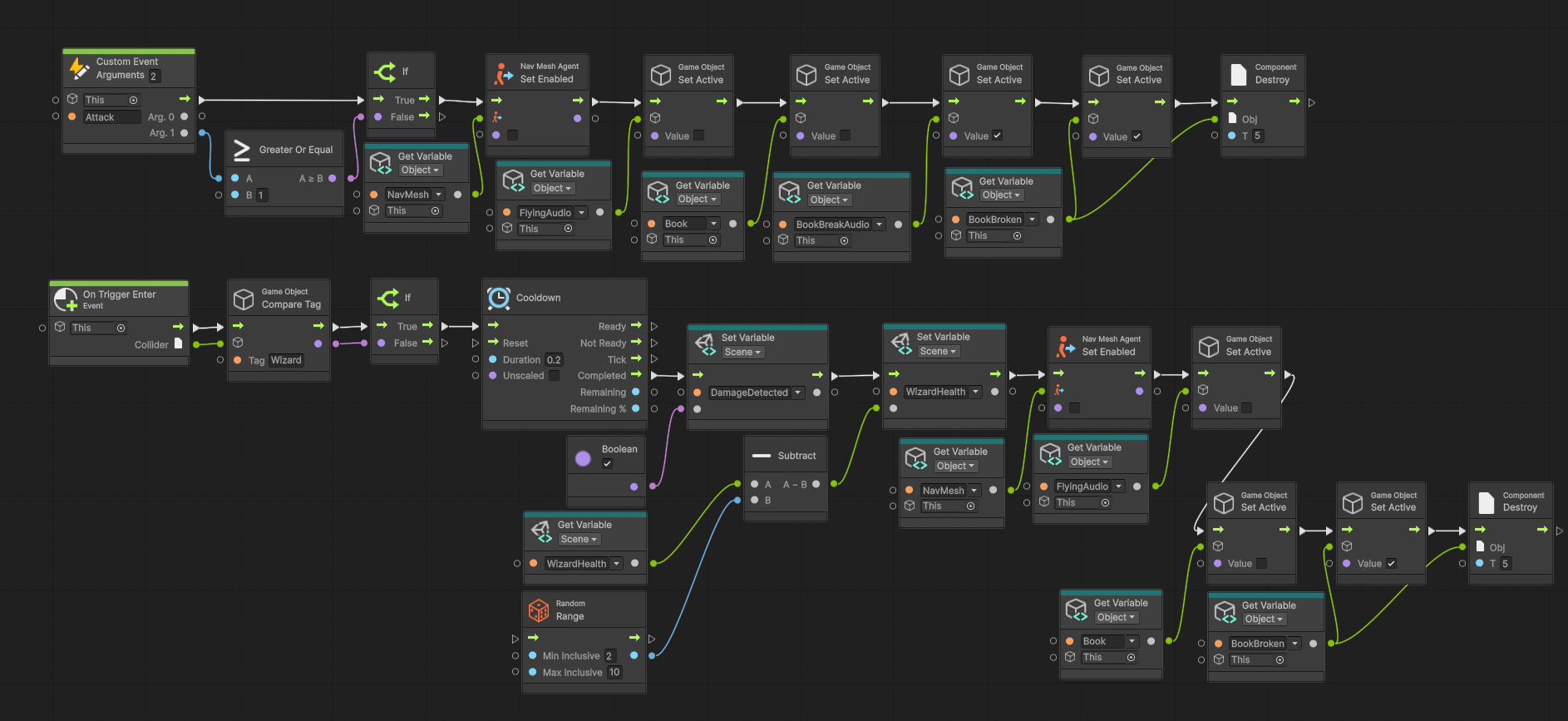
Flying Book combat and damage system
Combat logic controlling Flying Book attacks, damage, and destruction behaviour.

Reusability

Because the system relied on NavMesh navigation and a modular activation system, it could easily be reused across multiple levels with minimal setup, becoming a recurring gameplay element throughout the project.

Audio & Feedback

Book Break Book Falling Bookshelf Hit Flying Book Audio Activation FX Destruction FX

Challenges

Creating movement that felt believable while remaining lightweight enough for the project's scope required considerable iteration. Additional testing ensured activation, navigation, destruction, and combat interactions behaved consistently while keeping the system modular enough for reuse across multiple levels.

Because Flying Books caused no direct damage, they needed to remain interesting through environmental interactions and their ability to influence other gameplay systems, particularly the Wizard encounter.

03 — Telescope Puzzle System

Overview

The Telescope Puzzle was designed as one of the major progression systems within Project Strong Arm. Players aligned three telescopes with their corresponding stars to activate the Summoning Circle and progress through the level.

I designed and implemented the puzzle systems, modeled the telescopes and reset tables, and developed the alignment, laser, and progression logic. The Summoning Circle asset was created by another team member and served as the central receiver for the puzzle state.

Design Goal

The puzzle encouraged observation and experimentation while providing clear visual feedback.

Environmental Interaction Visual Feedback Experimentation Recovery Mechanics Progression Systems

Asset Creation

I modeled the telescopes and reset tables used throughout the puzzle. These assets were designed for readability and interaction, while the Summoning Circle (created by another team member) acted as the central controller.

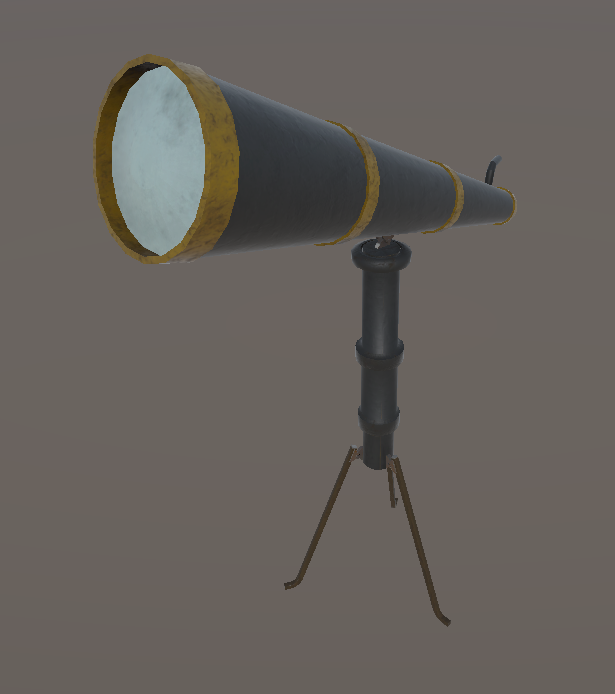
Telescope model created for the Telescope Puzzle
Telescope Model
Telescope asset created for the puzzle and designed to clearly communicate player interaction and rotation.
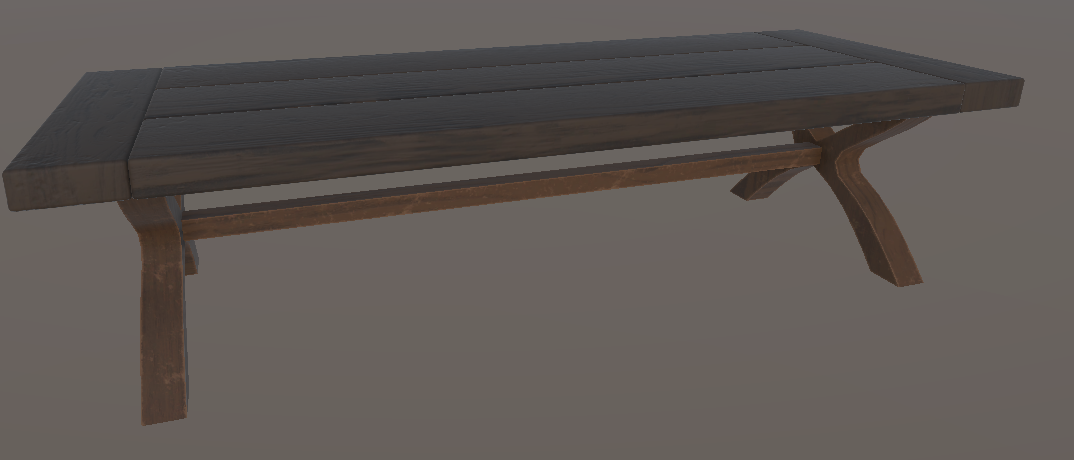
Reset table model created for the Telescope Puzzle
Reset Table
Reset table asset placed beside each telescope to provide players with a clear recovery interaction.

Telescope System

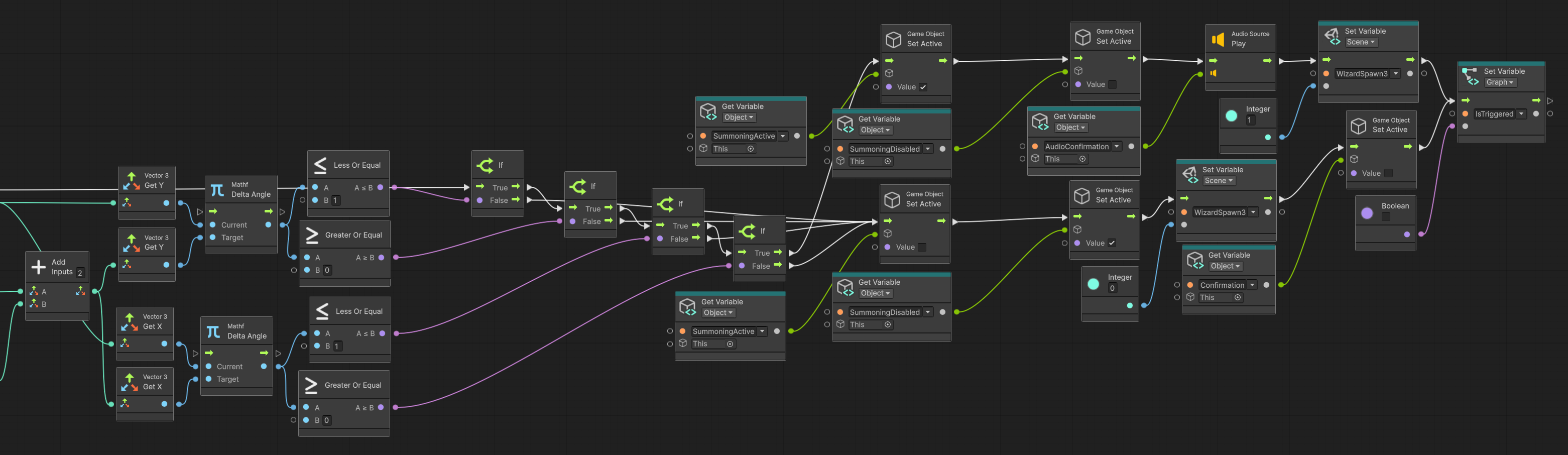
Each of the three telescopes could rotate and spin independently. A laser remained active at all times, providing a clear visual indicator of where each telescope was currently pointing and helping the player align it with its corresponding star.

When a telescope was correctly aligned with its target, the system registered that telescope as complete and transmitted its completion state to the Summoning Circle. Each telescope operated independently, allowing the three objectives to be completed in any order.

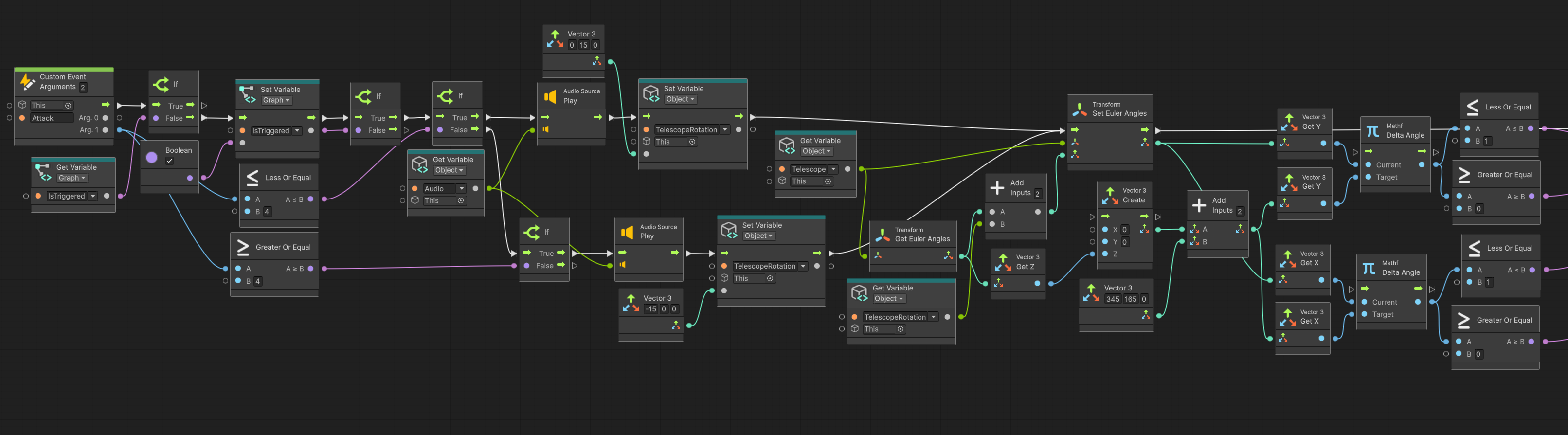
Telescope rotation visual scripting part one
Telescope rotation and interaction logic — Part 1.
Telescope rotation visual scripting part two
Telescope rotation and interaction logic — Part 2.

Summoning Circle Integration

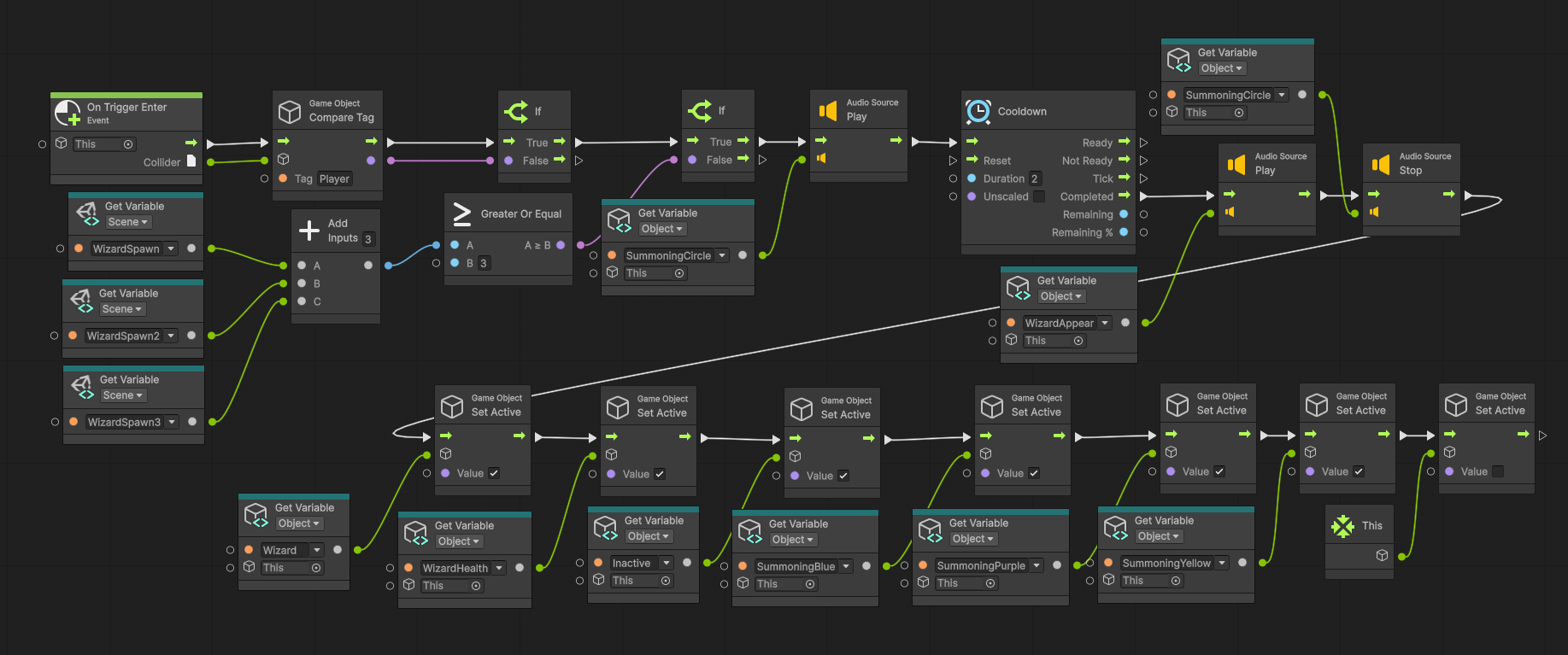
Each completed telescope transmitted its state to the Summoning Circle. Once all three values were active, the Summoning Circle activated and progression was unlocked. This allowed three independent systems to communicate with a central controller while remaining modular.

Summoning Circle activation
Summoning Circle activation once all telescope objectives have been completed.

Reset Mechanic

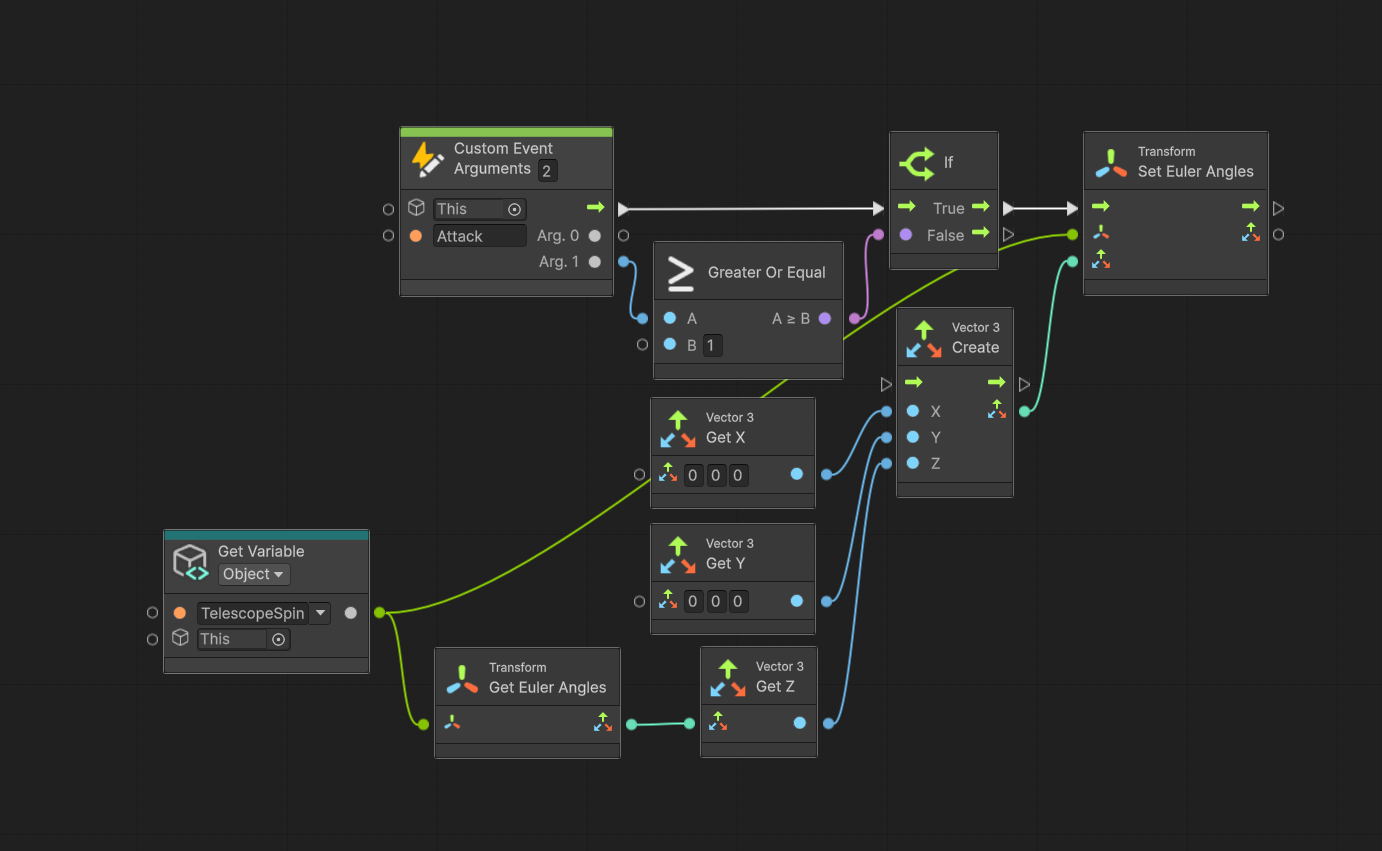
Each telescope featured a nearby reset table. Players could punch the table to return that telescope to its default orientation, encouraging experimentation, reducing frustration, preventing players from becoming stuck, and allowing quick retries.

Reset table logic
Reset table functionality allowing players to restore a telescope to its default rotation.

Challenges & Iteration

Readability

Early playtesting showed players struggled to understand where telescopes were aiming. I introduced the laser system to provide immediate visual feedback and improve readability.

Recovery

Testing also revealed frustration when players lost track of telescope orientations. Reset tables were added beside each telescope to restore its default rotation.

Floating-Point Precision

Because the puzzle relied on rotational values, Unity occasionally returned values such as 0.00001 instead of exactly 0 after a full rotation. Rather than comparing exact values, I implemented acceptable rotational ranges, making the puzzle significantly more reliable.

04 — Level 6

Level 6 — Astronomy Tower

Overview

Level 6 serves as the climactic conclusion of Project Strong Arm, bringing together the gameplay systems introduced throughout the project into a single final encounter.

Following a brief transition from the previous level, players enter the Wizard's Astronomy Tower where they must complete one final puzzle before confronting the Wizard and escaping the tower. The level combines exploration, environmental puzzles, combat, and progression systems into a cohesive finale designed to test the player's understanding of mechanics introduced throughout the game.

I was responsible for designing the level layout, implementing gameplay progression, scripting the encounter flow, integrating the Telescope Puzzle and Summoning Circle systems, and iterating on the level based on internal playtesting, external playtesting, and instructor feedback.

Design Goal

The goal of Level 6 was to create a satisfying conclusion to the player's journey by combining exploration, puzzle solving, and boss combat into a single progression sequence.

Rather than immediately beginning the boss encounter, the level allows players to briefly explore the Astronomy Tower before completing one final puzzle that triggers the confrontation with the Wizard.

Boss Progression Puzzle Progression Player Guidance Multi-Phase Combat Gameplay Pacing Environmental Exploration

Level Layout & Environment

As development progressed, the project evolved into a Wizard's Tower setting, with the Astronomy Tower becoming the final destination before the player's escape.

To reinforce this theme, I designed the arena using an octagonal layout inspired by astronomical observatories. The shape naturally accommodated the Telescope Puzzle, the Summoning Circle, and the final boss arena while creating a distinctive architectural space for the game's conclusion.

The level intentionally provides a short pause between the previous level and the final encounter, allowing players to explore the environment before triggering the boss fight.

Layout & Flow

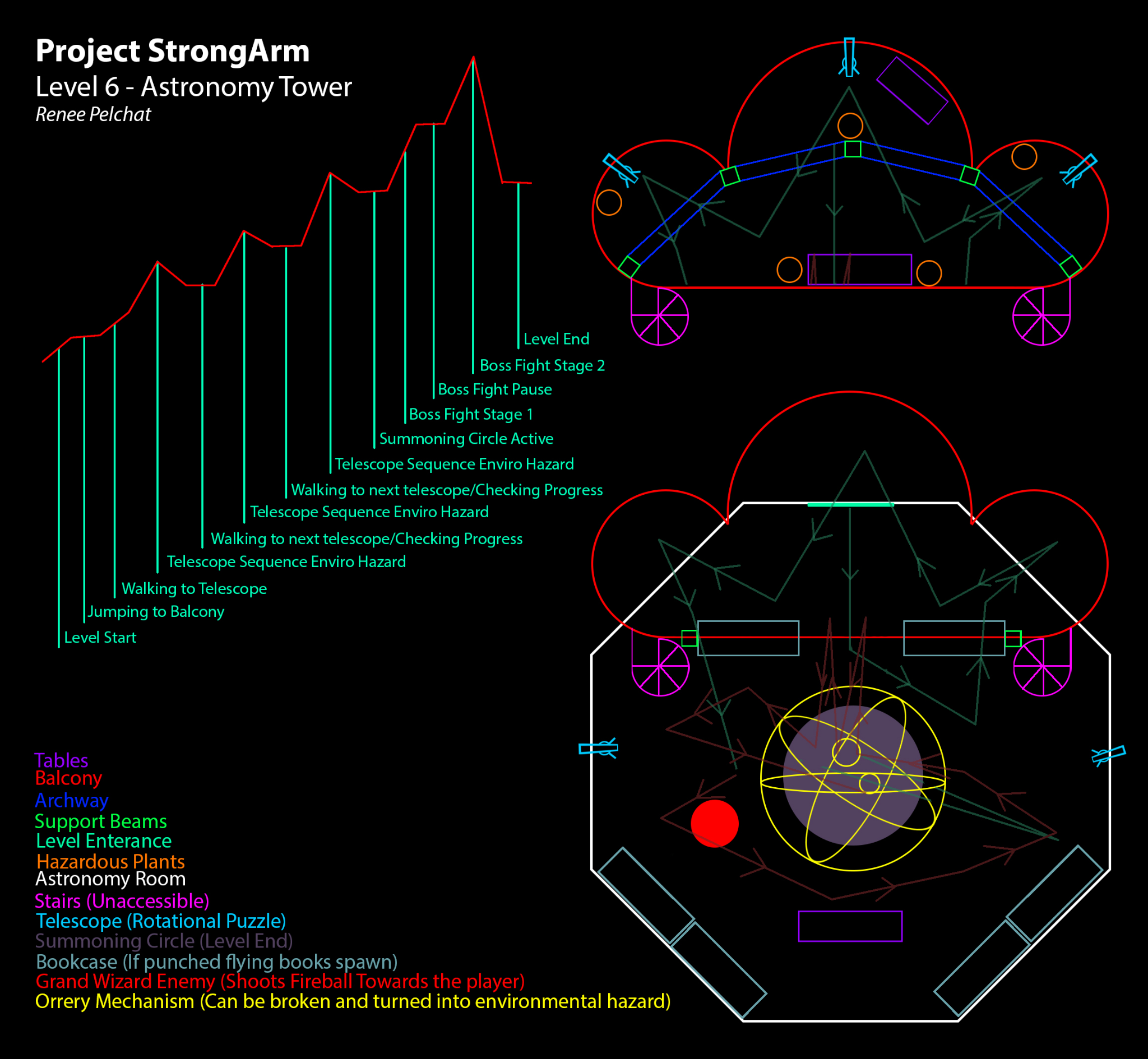
The level follows a structured gameplay sequence that gradually builds toward the final encounter. The pacing diagram shows how the level was planned to escalate from traversal and puzzle interaction into the multi-phase Wizard fight.

  1. Enter the Astronomy Tower.
  2. Explore the environment.
  3. Discover the Telescope Puzzle.
  4. Align all three telescopes.
  5. Activate the Summoning Circle.
  6. Approach the Summoning Circle.
  7. Trigger the Wizard encounter.
  8. Defeat the Wizard.
  9. Escape the tower.

The Telescope Puzzle serves as the final progression gate before combat, naturally transitioning players from exploration and puzzle solving into the boss encounter.

Project Strong Arm Level 6 Astronomy Tower layout and pacing diagram

Boss Encounter

The Wizard encounter was designed around three gameplay phases that gradually increased in difficulty while encouraging players to engage with multiple gameplay systems.

Phase One

The encounter begins once players approach the activated Summoning Circle. During the first phase, the Wizard continuously evaluates the player's position and dynamically selects between two primary attacks: fireballs and melee punches.

This opening phase introduces the encounter while giving players an opportunity to learn the Wizard's attack patterns and timing.

Healing Phase

Once the Wizard reaches approximately half health, the encounter transitions into a recovery phase.

  • The Wizard moves to the center of the Summoning Circle.
  • The Wizard creates a protective barrier.
  • The Wizard begins healing.

While protected by the barrier, the Wizard cannot be damaged directly. Instead, players must destroy the Orrery, disrupting the ritual and forcing the Wizard into the final combat phase.

This mechanic shifts the player's focus away from direct combat and toward interacting with the environment, creating a more dynamic encounter.

Phase Two

After the Orrery has been destroyed, the Wizard enters the final combat phase. To make the encounter less predictable, several gameplay values are randomized, including attack timing, fireball damage, and the number of fireballs spawned.

These randomized values create greater encounter variety while increasing the overall difficulty of the fight. Once the Wizard has been defeated, players can finally escape the tower and complete the game.

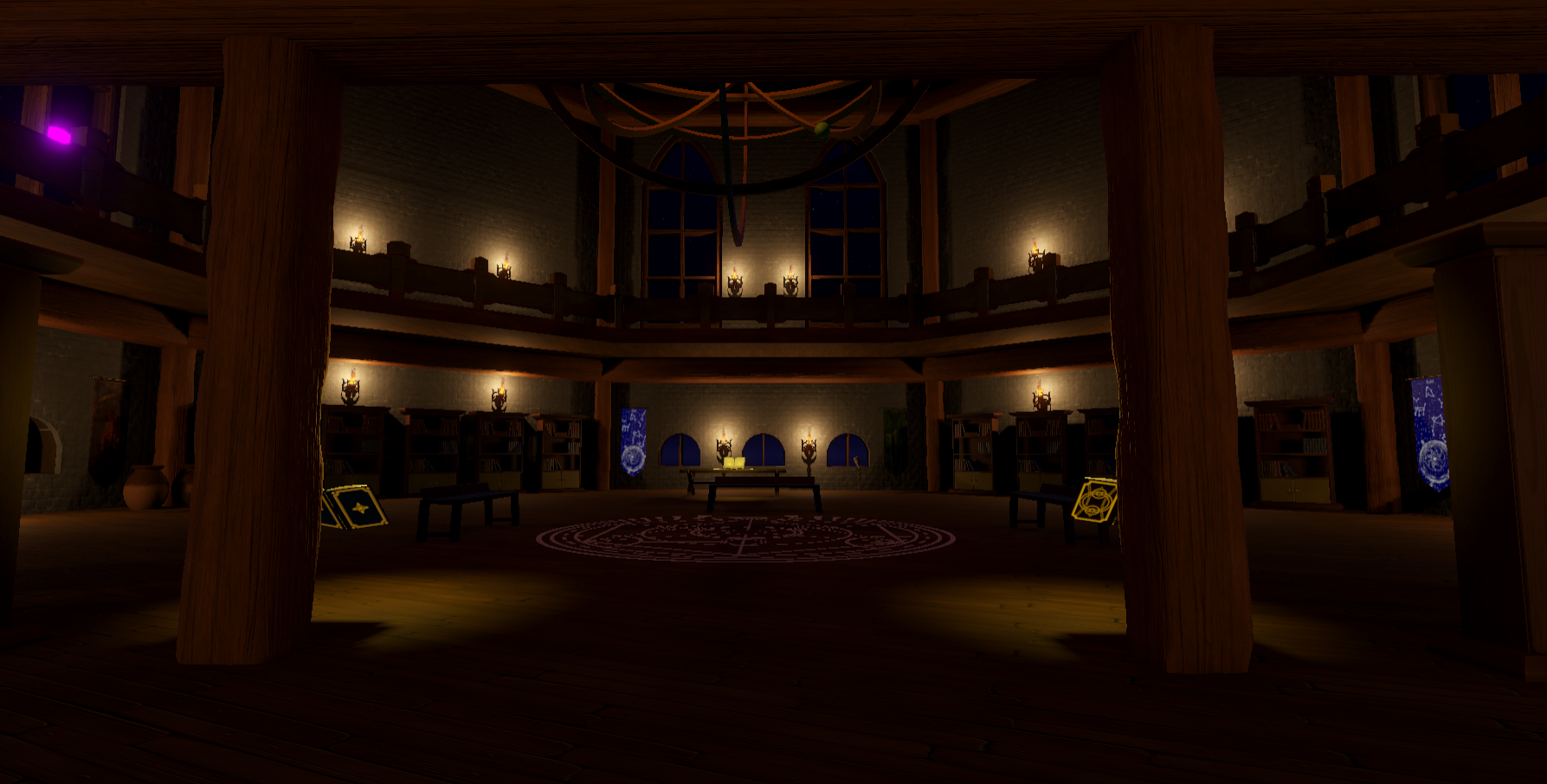
Interior view of the Astronomy Tower boss arena

Player Guidance & Iteration

During the final two weeks of development, internal and external playtesting revealed that many players became confused after entering the Astronomy Tower. Although the level functioned correctly, players often struggled to determine where they should go first before discovering the Telescope Puzzle.

Rather than introducing objective markers or intrusive UI elements, I chose to improve navigation through environmental guidance.

To address this issue, I introduced levitating books throughout the level. These books acted as contextual hint systems, displaying information relevant to nearby mechanics while remaining integrated into the environment.

The books were strategically placed near important gameplay moments to help direct players toward the Telescope Puzzle, telescope mechanics, the Summoning Circle, and the Wizard encounter.

Because the hints existed as physical objects within the environment rather than pop-up tutorials or waypoint markers, they maintained player immersion while significantly improving navigation and player understanding.

Iteration & Playtesting

Level 6 underwent several iterations throughout development based on internal testing, external playtesting, and instructor feedback.

Vertical Navigation

The original version of Level 6 featured several staircases that were intentionally blocked off. Since the player was designed to progress vertically by punching upward to reach higher floors, the staircases were never intended to be used as part of the gameplay.

During playtesting, however, many players naturally attempted to use the staircases to progress through the tower. Because the staircases were blocked, players often became confused and assumed they had missed an objective or were progressing incorrectly.

To improve readability and eliminate conflicting visual cues, I removed the blocked staircases entirely. This encouraged players to use the intended traversal mechanic—punching upward between floors—which better supported the established movement systems used throughout the game.

Removing the staircases simplified navigation, reinforced the intended gameplay, and improved the overall flow of the level.

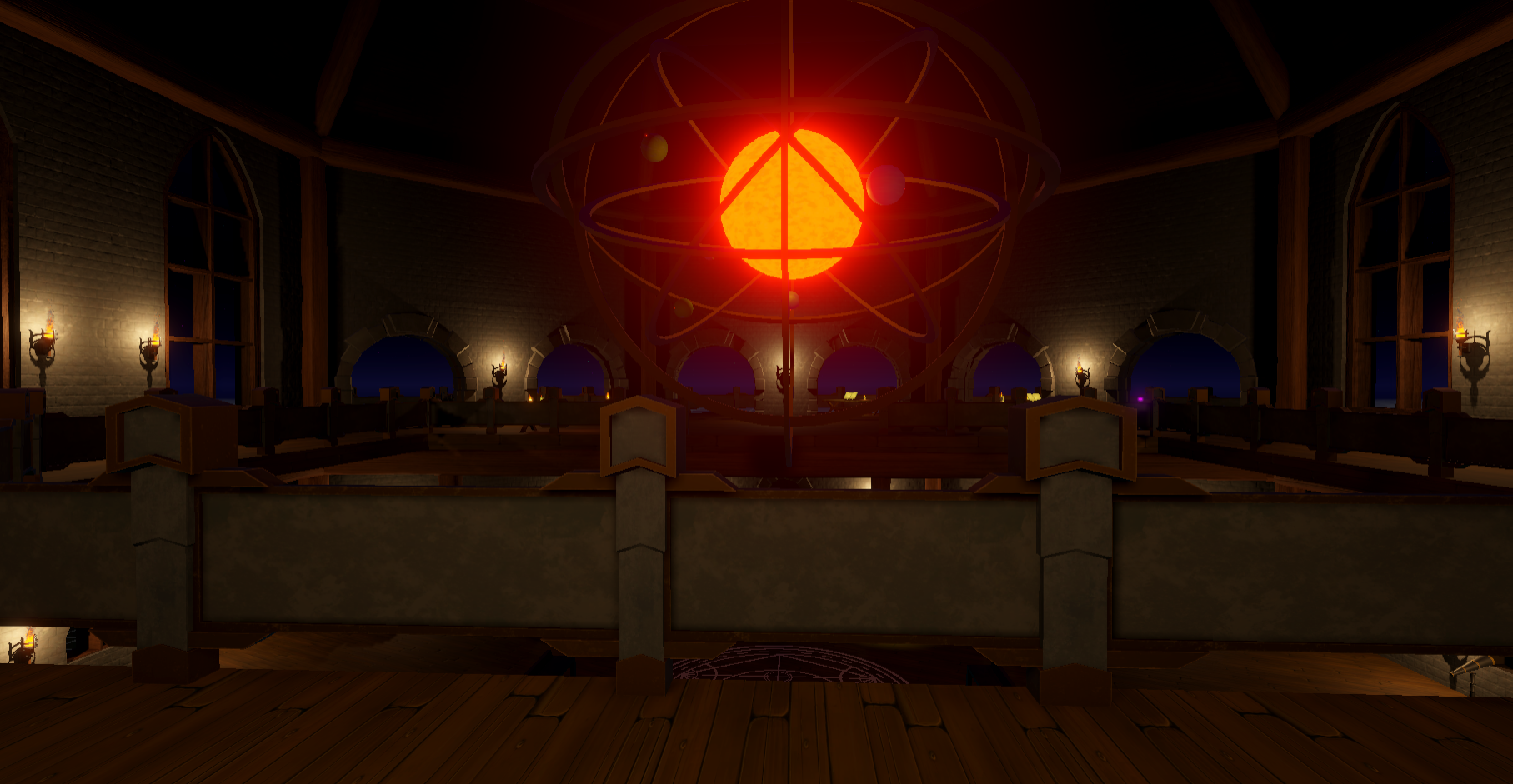
Balcony and upper walkway view of the Astronomy Tower

Hazardous Plants

The original design included hazardous plants positioned throughout the tower to create additional environmental challenges between major objectives.

The hazards were intended to influence player movement, add pressure during traversal, and create short moments of tension while players progressed between telescope puzzles and the final boss encounter. They also helped reinforce the intended pacing by breaking up periods of exploration with environmental gameplay challenges.

Due to the shortened production schedule and shifting project priorities, the hazardous plants were removed so development could focus on completing the project's core gameplay systems.

Although the level remained fully playable, removing the hazards changed the overall pacing of the experience. Players were able to move through sections more quickly, reducing some of the intended tension and making the transition between objectives feel faster than originally designed.

This experience reinforced the importance of environmental gameplay elements in shaping pacing, difficulty, and player engagement, while also highlighting the production trade-offs that are sometimes necessary to deliver a completed project.

Upper Walkway

Following instructor feedback, I added a circular walkway surrounding the upper level of the tower.

This architectural change improved both the visual composition of the arena and player movement during the Wizard encounter. The additional space gave players more freedom to maneuver during combat while making the final arena feel more open and readable.

Results

Level 6 successfully combined exploration, puzzle progression, environmental storytelling, boss combat, and interconnected gameplay systems into the project's final experience.

By integrating the Telescope Puzzle, Summoning Circle, Wizard encounter, environmental guidance systems, and iterative level improvements, the level encouraged players to apply the mechanics they had learned throughout the game while providing a satisfying conclusion to the experience.

Level Design Encounter Design Gameplay Programming Technical Design Boss Design Puzzle Integration Player Guidance Playtesting Iteration
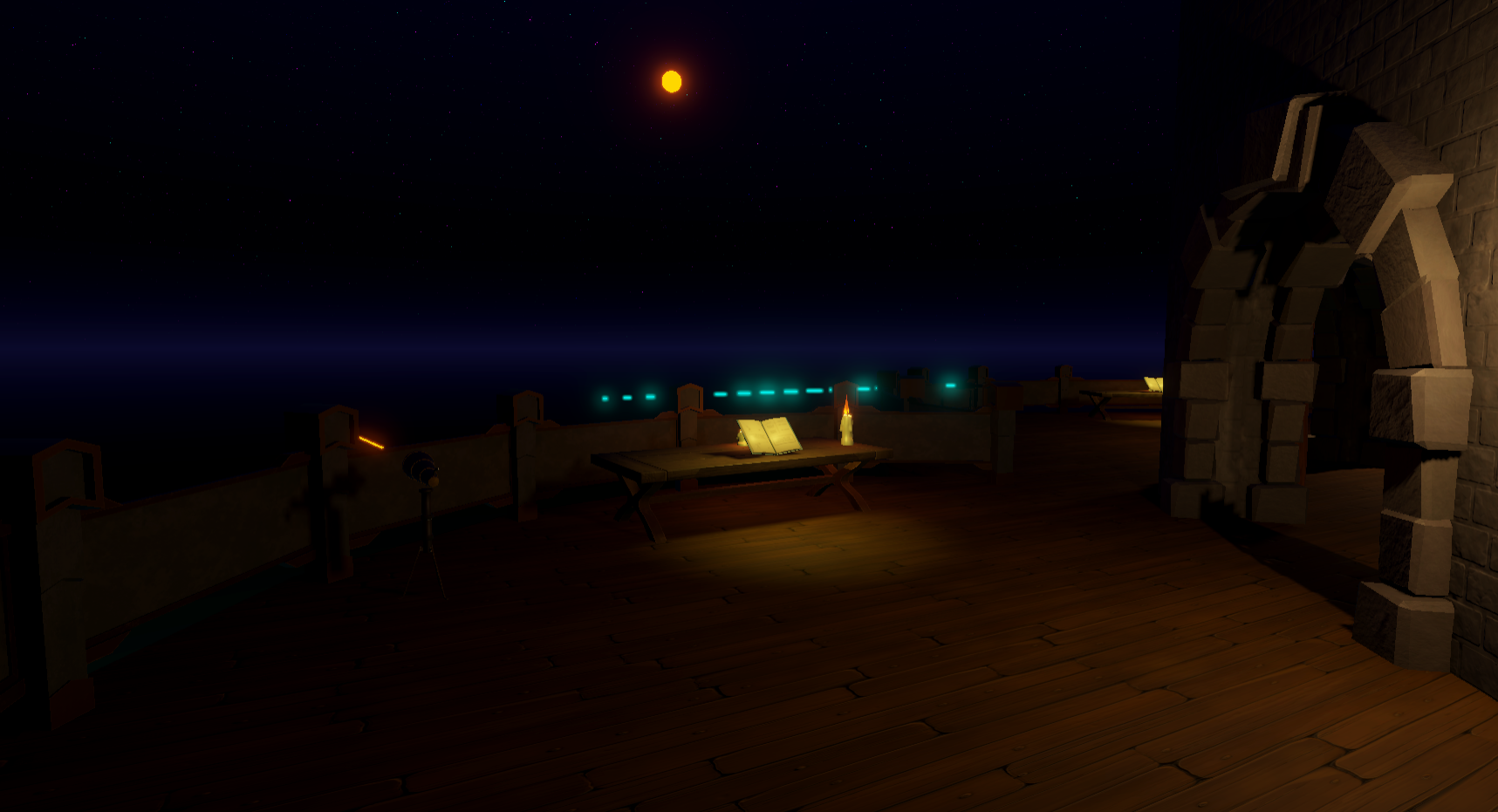
Exterior view of the completed Astronomy Tower
05 — Environment Systems & Technical Art

Overview

The environment systems for Project Strong Arm were created to support the construction of the Wizard's Tower while reinforcing the gameplay systems used throughout the project. Rather than relying only on one-off assets, I developed reusable architectural modules, gameplay props, materials, shaders, and visual effects that could be combined to build multiple spaces while maintaining a consistent visual style.

My responsibilities included environment modeling, modular architecture, gameplay prop creation, texture creation, visual effects, shader development, and Unity integration.

Modular Architecture

The architectural kit was designed to support rapid level construction and iteration. The pieces were built to work together across the Wizard's Tower while keeping the environment readable for gameplay.

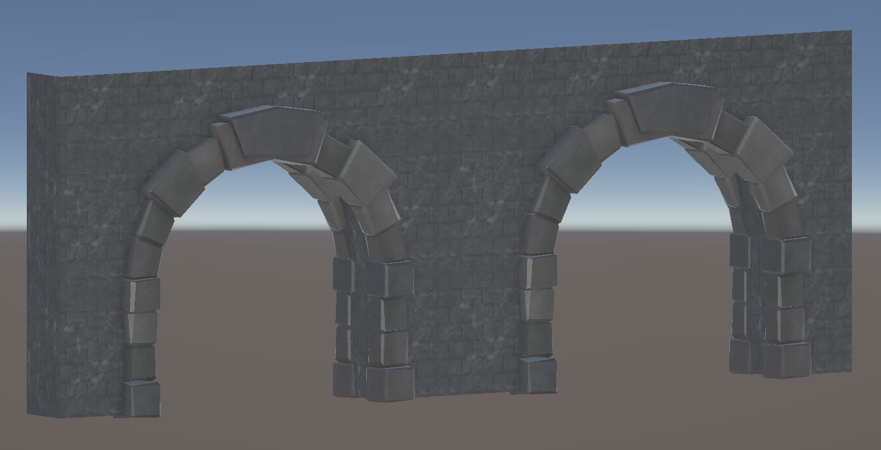
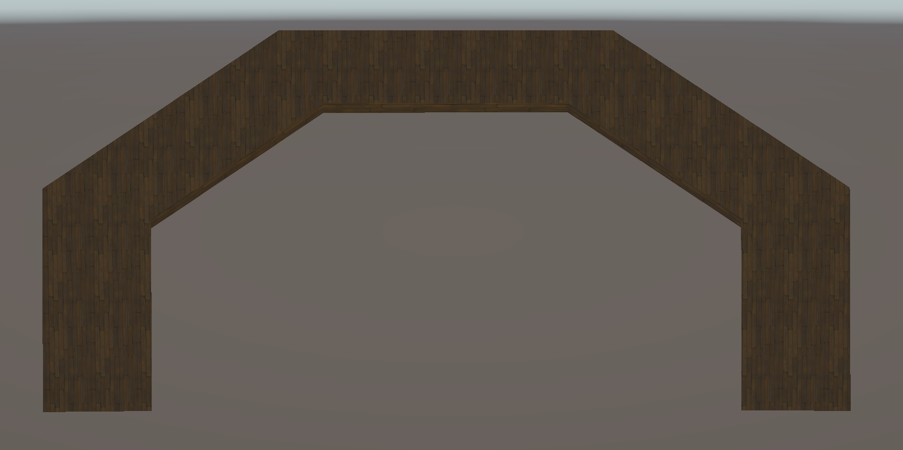
Double entrance wall module
Ring balcony connector module
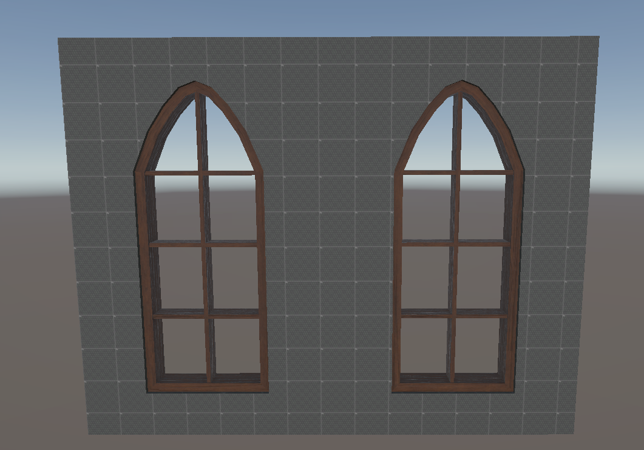
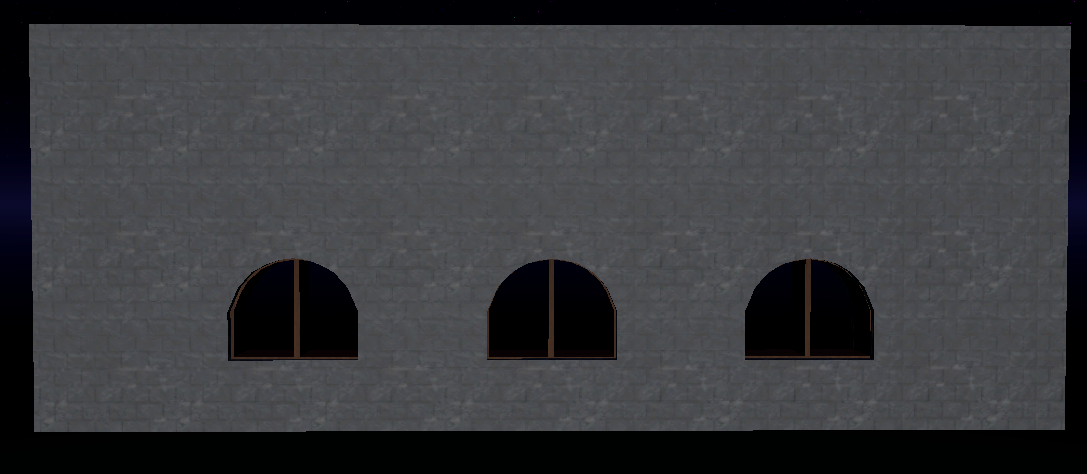
Large window wall module
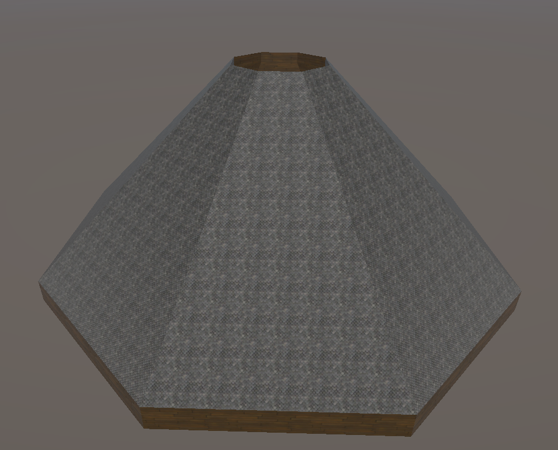
Roof module
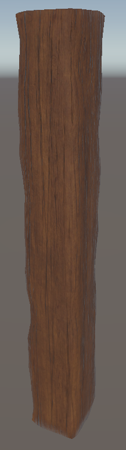
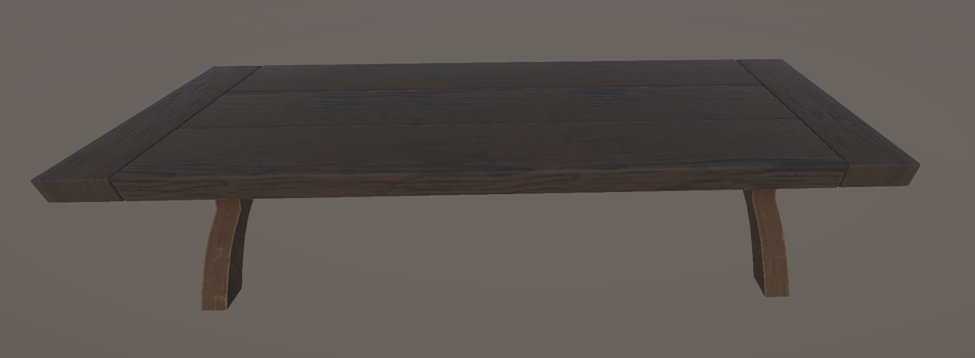
Wooden support beam
Balcony floor module
Wooden support beam

Architecture Contributions

AssetContribution
Roof ModuleModeling and texturing by me.
Roof Support BeamsModeling and texturing by me.
Balcony ModuleModeling and texturing by me.
Ring Walkway / Balcony ConnectorModeling and texturing by me.
Large Window WallModeling and texturing by me.
Small Window WallModeling and texturing by me.
Double Entrance WallWall model by me. Arch module reused from another team member's asset.

Gameplay Props

The gameplay props were designed to support puzzle and encounter systems rather than function only as decoration. Each prop had to be readable as an interactive object and fit visually within the Wizard's Tower.

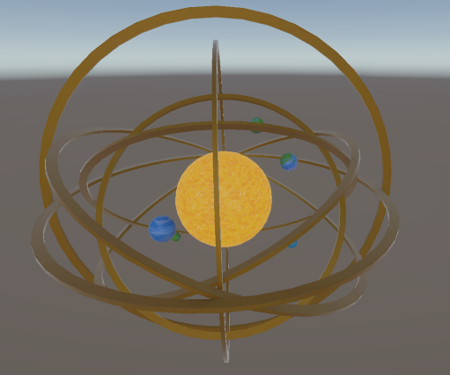
Orrery gameplay prop
Telescope gameplay prop
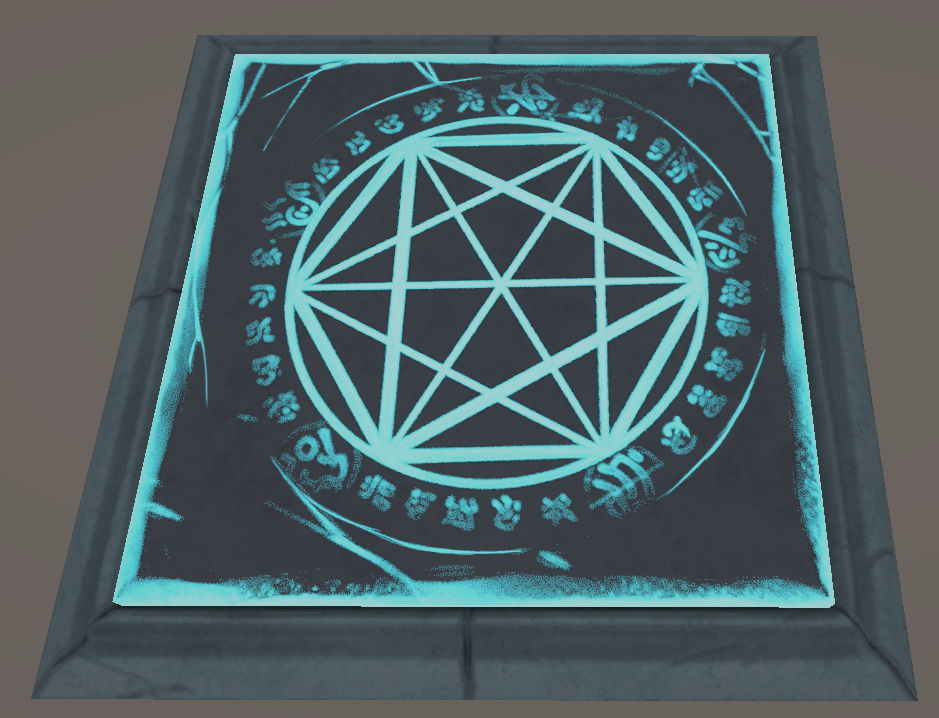
Summoning Circle gameplay prop
Reset table gameplay prop

Gameplay Prop Contributions

AssetContribution
OrreryFully modeled and textured by me. Integrated into the Wizard encounter as an environmental progression mechanic.
TelescopeFully modeled and textured by me. Integrated into the telescope puzzle system.
Summoning CircleModel created by another team member. Gameplay integration completed by me.
Reset TableModel and gameplay function by me. Final texturing assisted by another team member due to medical circumstances.
Pressure PlatesModel and implementation by me. Final texturing assisted by another team member due to medical circumstances.

Texture Creation

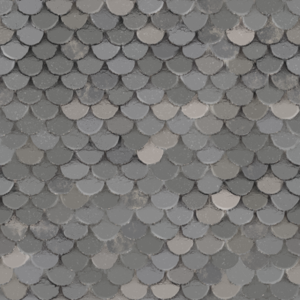
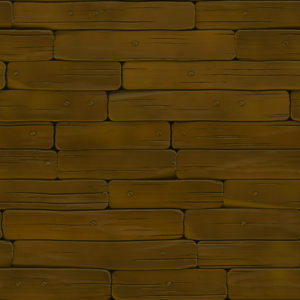
To support the modular environment, I created reusable textures that could be shared across multiple assets throughout the Wizard's Tower. These helped maintain visual consistency while reducing the number of unique materials required throughout the level.

Stone shingle texture created for Project Strong Arm

Stone Shingle Texture

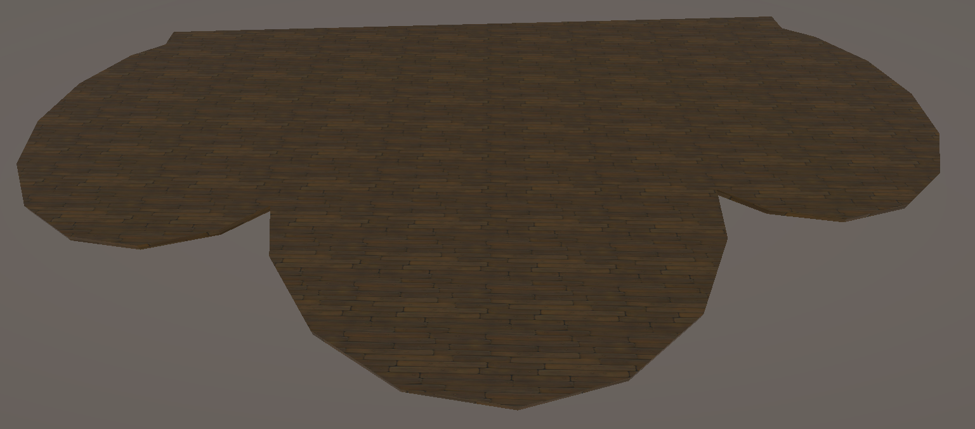
Wood floor texture created for Project Strong Arm

Wood Floor Texture

Visual Effects & Shaders

I also created visual effects and shaders to support combat readability and environmental presentation.

Fireball visual effect

Fireball Visual Effect

The Fireball VFX was created to make the Wizard's projectile attacks readable during combat while supporting the magical theme of the encounter.

Magic puddle shader

Magic Puddle Shader

The puddle shader was created as an environmental effect to give magical surfaces subtle movement and visual interest.

Collaboration

While I was responsible for creating the majority of the environment systems shown in this section, a small number of assets were completed collaboratively. The Reset Table and Pressure Plates received final texturing assistance from another team member due to medical circumstances, and the Double Entrance Wall reused an arch module created by another team member.

Results

Developing the environment systems required balancing modularity, gameplay readability, technical implementation, and visual consistency across the Wizard's Tower. The kit supported faster iteration, clearer gameplay spaces, and a more cohesive final environment.

Environment Art Modular Assets Texture Creation Gameplay Props Technical Art VFX Shaders Unity Integration

Team Contributions

Project Strong Arm was developed by a multidisciplinary team of six students during the Fanshawe College Game Development Capstone. While this portfolio focuses on my individual contributions, the following team members were responsible for the areas listed below.

Raighne Tan

Level 1 Developer • 3D Artist • VFX Artist

Responsible for the development of Level 1, creating 3D environment assets, and producing visual effects used throughout the level.

Patricia Sapala

Level 2 Developer • 3D Artist • 2D Artist

Responsible for the development of Level 2, creating 3D environment assets, and producing 2D artwork for the project.

Sujin Park

Level 3 Developer • 2D Artist • 3D Artist

Responsible for the development of Level 3 and creating both 2D and 3D assets used throughout the project.

Philip Tomaszewski

Level 4 Developer • Gameplay Programmer • Technical Artist

Responsible for the development of Level 4, sharing gameplay programming responsibilities, and creating and implementing the project's asset workflow.